


Dear subscribers,
Today, I want to share a new episode with Xinran Ma.
Xinran is a top AI instructor who has taught 100s of product teams how to design and prototype with AI. He shared 5 practical techniques to avoid generating AI slop — from side-by-side exploration to reverse prompting to component libraries — that you can start trying today. If you want to level up on AI prototyping, this is a must watch.
Watch now on YouTube, Apple, and Spotify.
Xinran and I talked about:
(00:00) The 5 gaps in vibe coding that lead to generic designs
(04:28) [Step 1] Custom GPT generates perfect specs before prompting
(12:04) [Step 2] Magic Patterns canvas for side-by-side iteration tracking
(15:56) [Step 3] Inspiration command generates 4 unique designs instantly
(20:45) [Step 4] Mix-match components across prototypes with Subframe
(24:10) [Step 5] Toggle between AI mode and manual design editing
(28:34) Reverse prompting: Make AI extract your design system
(32:19) Pair component libraries with instructions to avoid AI slop
This episode is brought to you by…Amplitude

My friend Yana recently joined Amplitude as their new Head of AI. She led the launch of Amplitude AI Feedback to pull insights from calls, reviews, tickets, surveys, and social channels into one place.
The magic is how it connects what users say to what they actually do in your product — giving you the full picture when you’re deciding what to build next.
Top 10 takeaways I learned from this episode
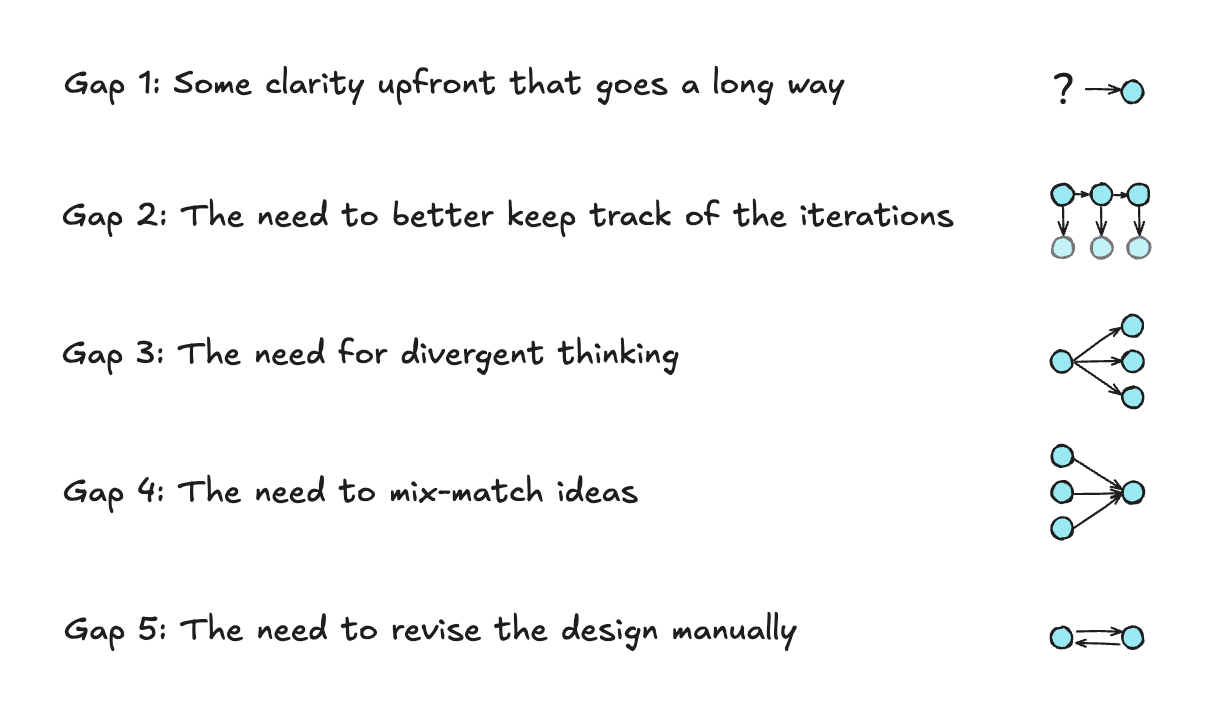
[Step 1] Use a custom prompt to generate perfect specs upfront. Xinran created a GPT that asks about users, goals, platforms, and key flows before outputting a complete spec. “If you provide a confusing prompt, you have to spend a lot of tokens to course correct later.”
[Step 2] Visualize all design iterations side-by-side with Magic Patterns canvas. Unlike linear tools, the canvas feature lets you branch in multiple directions, compare options, and click into any version to iterate further. “It’s very hard to do this with tools like Lovable.”