


Dear subscribers,
Today, I want to show you how to build a super fun retro game using Claude Code.
Building games with my 7-year-old and Claude Code is one of my favorite weekend activities and I want you to learn how to do this too.
Here are some games we’ve built together:
An underwater shooter where you play a swimmer fighting off sharks.
An animal hospital game where you treat different animals (using Nano Banana).
And today’s tutorial: A retro space shooter with wave-based enemies, power-ups, and epic boss fights.
Watch my tutorial to learn how to build the space shooter in 5 steps.
Timestamps:
(00:00) Why I love vibe coding games with my kid
(01:19) Step 1: Set up the project
(02:56) Step 2: Find free pixel art assets
(05:33) Step 3: Draft the spec with Claude's AskUserQuestion tool
(08:56) Step 4: Build the MVP and iterate
(13:06) Step 4.5: Debug the epic boss battle
(15:24) Step 5: Ship your game with GitHub and Vercel
Watch now on YouTube or read the written guide below.
This post is brought to you by…Replit

Now that I know how to build retro games on the web, I’m excited to start shipping them as native mobile apps. Replit is the easiest way to do this because it builds with real native components and handles App Store submission for me.
Try it yourself by going to Replit, selecting “Mobile app” in the dropdown, and then building your idea. It’s as simple as that.
What we’ll build: A retro 2D space shooter
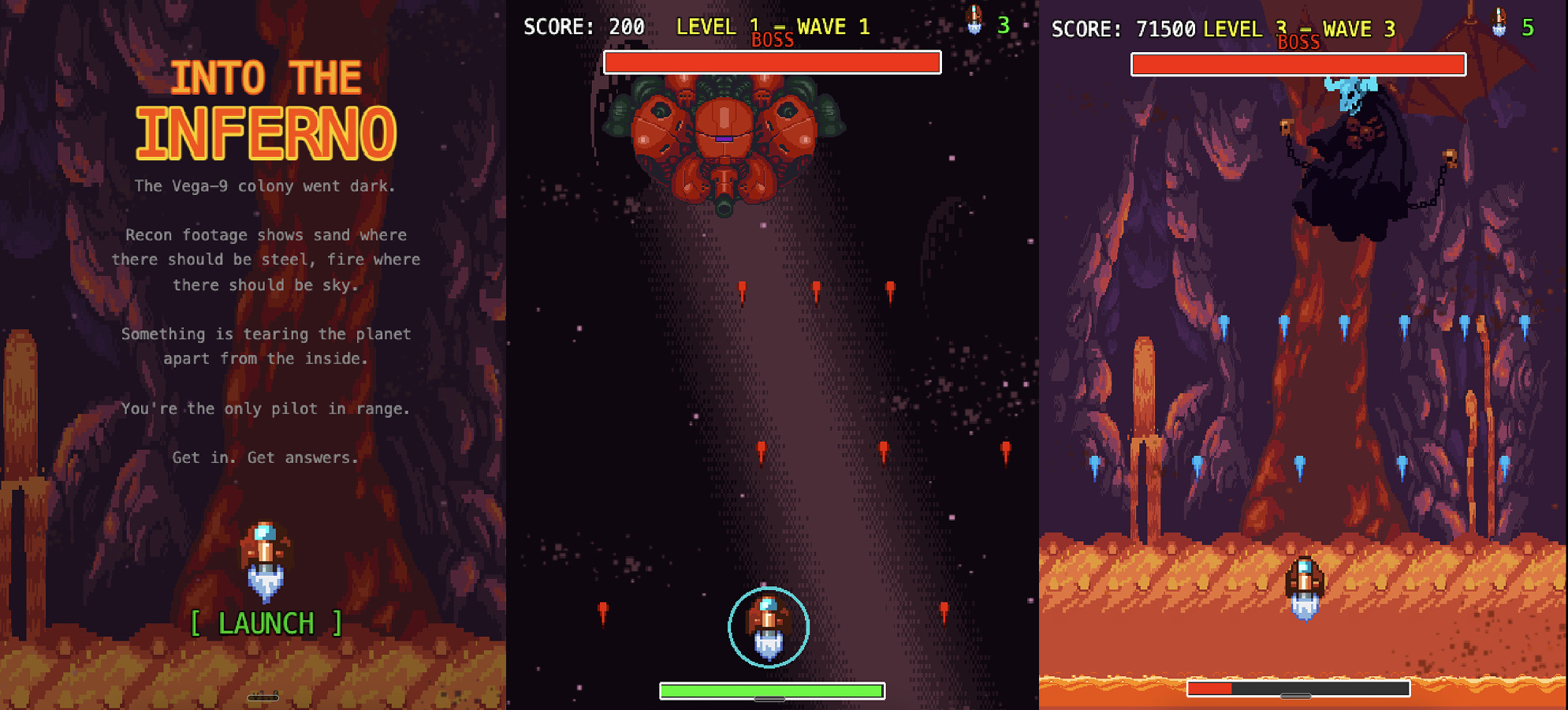
We’ll build a classic vertical-scrolling space shooter with wave-based enemies, power-ups, and epic boss battles at the end. A note before we get started:
This game might look intimidating to build, but it really just comes down to chatting with AI just like you chat with ChatGPT or Claude.
If my 7-year-old can do it, you can too. Let’s dive in!
1. Set up the project
Start by creating and opening an empty folder in Cursor called “space-shooter-game” and then installing Claude Code in Cursor’s terminal (follow this quick start guide if you need help). Then, type in terminal:
claude --dangerously-skip-permissions
This sounds dangerous, but all it does is let Claude work in your new folder without having to ask you for permissions each time. This makes vibe coding way more fun, and Claude is smart enough not to screw up your files.
By the way, if you’re kids don’t know how to type yet, just use Wispr Flow to encourage them to dictate commands to Claude directly.
2. Find game assets
Now let’s find some pixel art for our game. Claude has web search built in, so you can simply prompt:
I want to build a retro 2D space shooter. Where can I find free pixel art assets?
It’ll likely find pixel art on websites like Open Game Art and itch.io. But to make this much easier, I’ve already found an amazing pixel pack for building shooters, platformers, and more that’s 100% free. Here’s the download link:
Download the Legacy Pixel Collection
After you download the pack, open it and drag the entire folder into your space shooter folder. Then, ask Claude:
I just added some pixel art, list the ones that we can use for our space shooter.
Claude will identify the relevant pixel art for your player ship, enemies, projectiles, power-ups, and backgrounds automatically.
3. Draft the spec
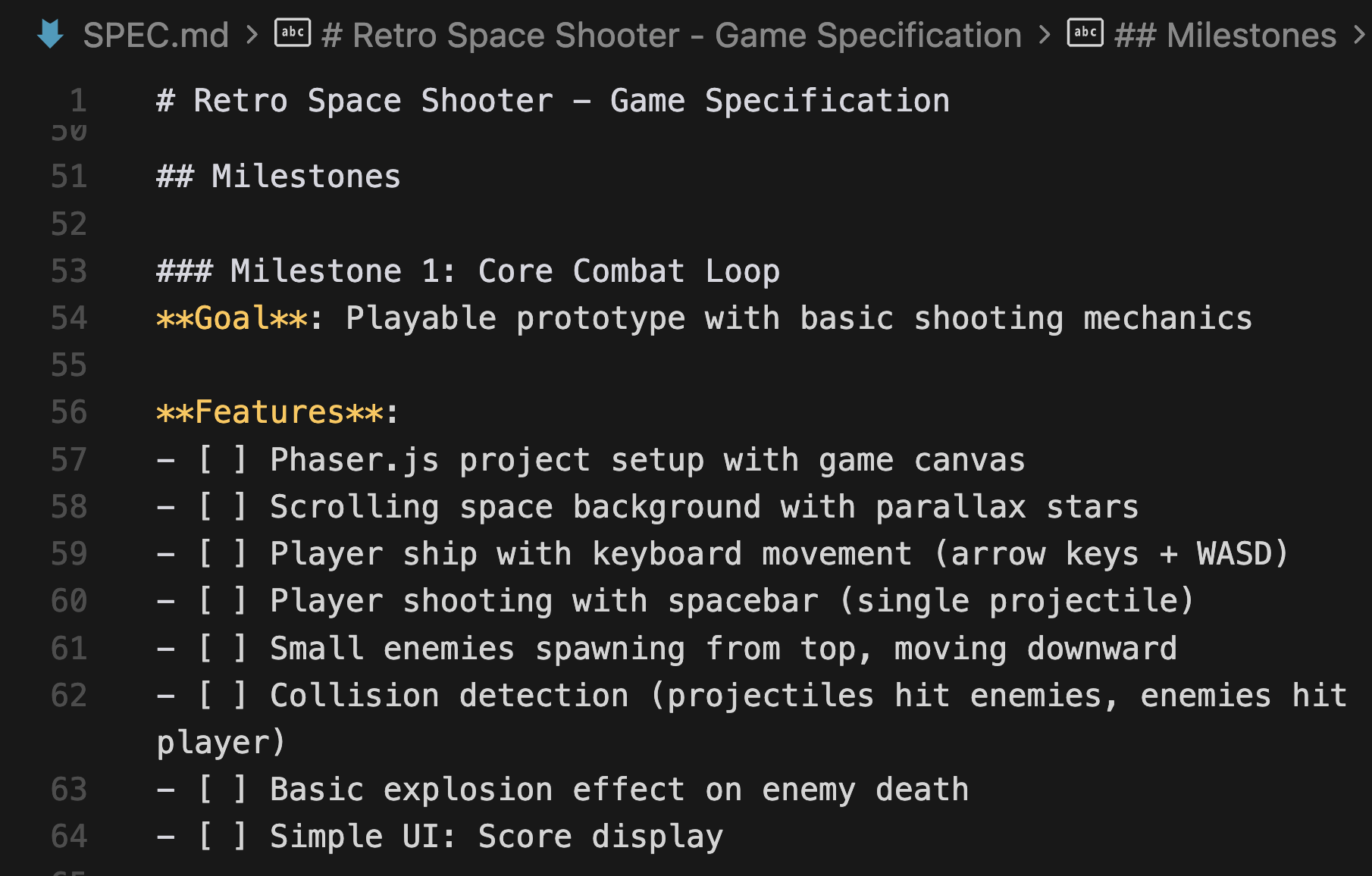
Next, let’s ask Claude to draft the spec for our space shooter. Whenever I want AI to draft a spec, I always like to include 3 specific instructions in the prompt: