

Dear subscribers,
Today, I want to share a new episode with Carl Vellotti.
Carl has gone deeper on Claude Code than any product leader that I know. He showed me exactly how to connect Claude Code to Google Workspace, Slack, Reddit, and Linear to get work done without opening any of these other apps. Watch as he demos how to prep for meetings, update tickets, and post Slack updates all from the terminal.
Watch now on YouTube, Apple, and Spotify.
Carl and I talked about:
(00:00) Why you should connect Claude Code to your favorite apps
(02:01) Google Workspace: Using Claude to prep for meetings
(09:35) Linear: Creating tickets from PRDs
(13:16) Slack: Sharing status updates from terminal
(20:04) Reddit: Monitoring subreddit discussions
(21:47) The daily-standup command that pulls from multiple tools
(25:08) The folder setup Carl uses for his Claude Code OS
(33:36) The consult-the-council skill that works with multiple AI agents
(35:50) How to get Claude Code to generate system design diagrams
I’m proud to partner with Granola

Granola’s recipes feature pairs expert-crafted prompts with your meeting context to give you insights into your work.
One of my favorite recipes is Matt Mochary’s coaching recipe. It gives me feedback based on how I actually showed up in conversations that week.
Top 10 takeaways I learned from this episode
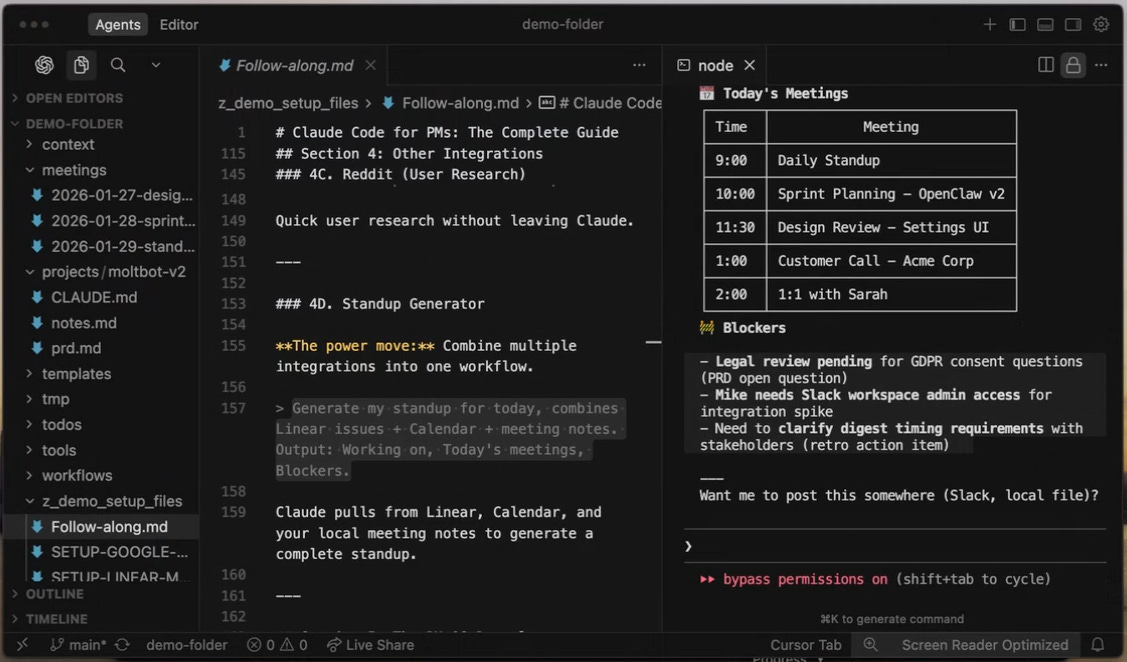
Keep your Claude Code personal OS organized with this structure. Carl's setup gives Claude clear places to find and store everything:
/context - Company info, product docs, quarterly goals.
/projects - One sub-folder per initiative with PRDs, research, and more.
/templates - Reusable formats for PRDs, Slack updates, meeting notes.
/tools - Image generation (via Nano Banana) and other capabilities.
/workflows - Multi-step processes like content writing or research.
/_temp - Drafts and one-off docs that are temporary.
You can copy Carl's personal OS setup by visiting the GitHub link below. Simply paste the link into Claude Code and ask it to clone the repo to get the folder structure: