


Dear subscribers,
Gemini 3 and Replit Design Mode combined is the best AI designer I’ve ever seen.
Instead of purple AI slop, you can now finally build beautiful websites and apps complete with stunning AI videos in just 2 minutes each.
In the tutorial below, I share the exact prompts that I used to build a stunning travel catalog, a retro personal OS, a poker game, a music sequencer, and more.
Watch the tutorial and follow along to build 10 beautiful websites in 12 minutes.
Timestamps:
(00:00) Why Replit and Gemini 3 are a game changer for AI design
(00:37) Step by step: Build a stunning travel catalog with AI-generated videos
(03:21) Create a retro Windows 95 personal website with my favorite games
(05:37) Generate a multiplayer poker game that actually works
(07:08) Build a luxury Ferrari showroom with dramatic video reveals
(09:39) Design a personal journal app with late-night café aesthetics
(10:40) Demo of my satirical Bay Area real estate website that went viral
P.S. You can get 3 months free Replit, Wispr Flow, and Granola ($153 value) and my AI prompt library + AI community by upgrading to an annual subscription.
This post is brought to you by…Reforge

Most prototyping tools make you start from scratch each time and produce the same purple looking AI slop. Reforge Build learns from your design guidelines to generate prototypes that actually look like your product.
You can even create several variants to compare side by side and collaborate with your team. Try Reforge Build and use the code “Build” for one month free.
Let’s build a stunning travel catalog website (link)
Here’s my travel catalog website complete with AI videos highlighting the top 5 countries that I’ve visited. You can build the same thing by following the steps below.
Build and show it to your relatives during the holidays — I’m sure they’ll be blown away 🙂 Watch me build it live here.
1. List and describe videos highlighting top 5 countries
Start by listing the top 5 countries you’ve visited and describing the video you want for each. I worked with AI to come up with these 1-liner video descriptions:
Japan: Slow zoom on Himeji Castle framed by drifting cherry blossoms
Portugal: Golden hour drone glide over Lisbon’s terracotta rooftops
Italy: Positano’s pastel homes cascading to sea in golden hour light
Spain: Slow dolly through the Alhambra’s intricate Moorish archways
France: Cinematic reveal of Eze village perched over the Mediterranean
2. Work with AI to write a prompt to build the website
Now let’s ask ChatGPT, Claude or Gemini to create an AI prompt to build the website. I’ve included my full prompt below for your convenience. Just replace the bold section:
Build a high-end, cinematic travel catalog website with beautiful fonts. The site must use a full-screen vertical scroll-snap layout where every section is 100vh.
Structure & Content:
1. Landing Section:
Background video: Cinematic slow-motion waves crashing on a dark sand beach at sunset, moody and atmospheric.
Layout: Split screen or heavy typography focus.
Headline: “My top 5 favorite countries” in massive, tracking-tight white typography (Inter or Helvetica).
Interactive List: A numbered list (01-05) of destinations below. Hovering a destination shifts the text right and reveals an arrow. Clicking smoothly scrolls to that section.
2. Destination Sections:
Each section must have a unique full-screen background video, centered white text with a dark overlay for readability, and entrance animations (fade up). You should use AI to generate the videos based on the descriptions below.
Japan: Slow zoom on Himeji Castle framed by drifting cherry blossoms
Portugal: Golden hour drone glide over Lisbon’s terracotta rooftops
Italy: Positano’s pastel homes cascading to sea in golden hour light
Spain: Slow dolly through the Alhambra’s intricate Moorish archways
France: Cinematic reveal of Eze village perched over the Mediterranean
Tech stack and style:
React + Tailwind CSS + Framer Motion.
Use scroll-snap-type: y mandatory for the container.
Typography: Clean sans-serif (Inter), white text on dark backgrounds.
Videos: Use high-quality, muted, autoplaying loops for all sections.
3. Paste the prompt into Replit Design Mode to build
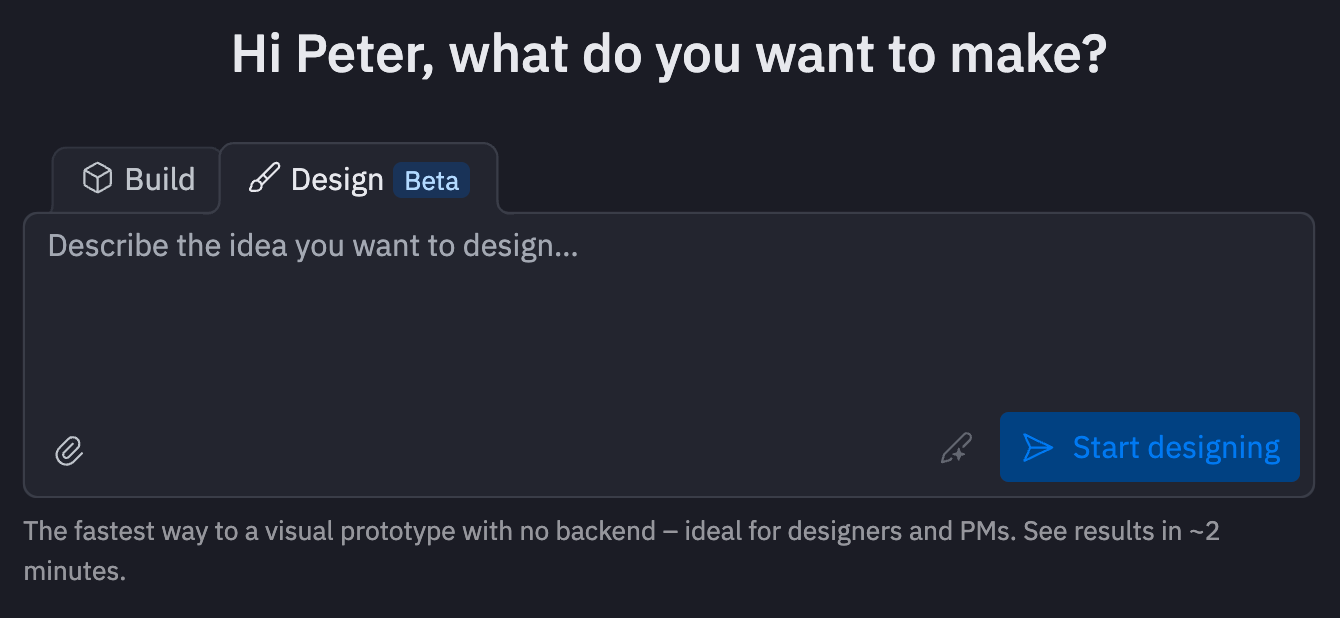
Now go to Replit, select Design Mode, and paste in your prompt. The whole process takes about 2 minutes. Grab a coffee while it generates your site.
Sometimes, the prompt above generates static images instead of videos. If that happens, just ask it nicely: “No, I want full looping videos for each background.” If you want to edit copy, just be specific about what you want changed.
There’s no need to read or touch code in any part of this process 🙂
When you’re finished, hit Publish on the top right to take your site live. It’s that simple, and the design is night and day from the typical purple AI slop.
10 beautiful websites and apps to build next
I spent a few hours on the weekend finding the best websites and apps that people have created with Replit and Gemini 3. Below, I’ve included all the actual prompts and instructions to make it easy for you to build and personalize these yourself.
Remember that you can get Replit Core for free to try these prompts by upgrading to my annual plan. My 20% off offer is also valid for another 5 days.
1. The nostalgic retro desktop I wish I still had (link)
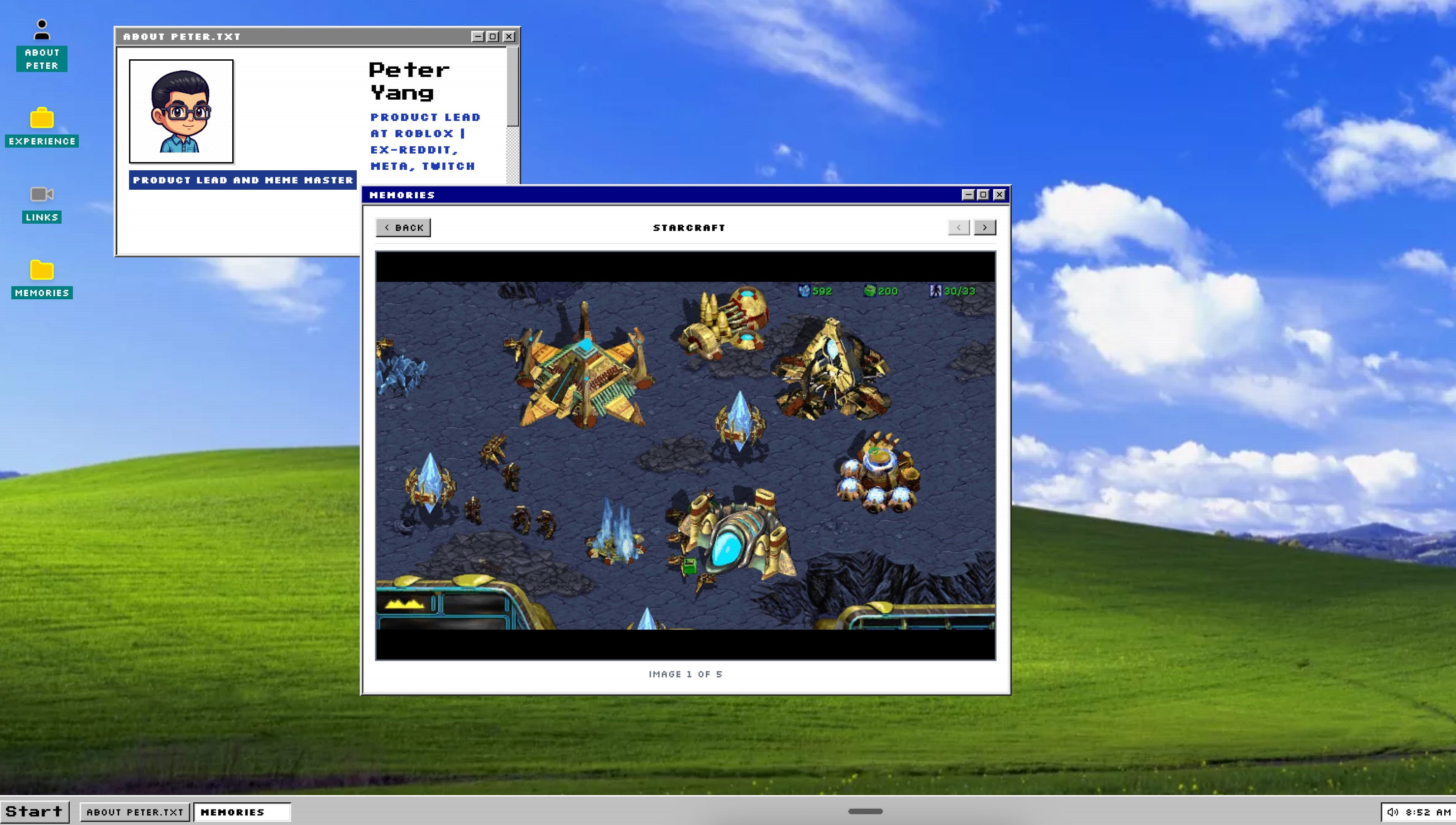
This one’s my favorite. Imagine a full Windows 95 desktop with boot sequence, draggable windows, start menu, and even a Memories folder with screenshots from my favorite games: Starcraft, Red Alert 2, Commander Keen, and more.
Create a retro personal portfolio designed as a Windows 95-style operating system. Include bootup sequence with loading bar, desktop with draggable windows for About, Projects, Skills, and Contact, working taskbar with clock, and classic UI elements like beveled buttons. Use system fonts and a teal/gray palette. Make windows draggable and resizable with smooth animations.
2. A poker game that deals, bets, and actually works (link)
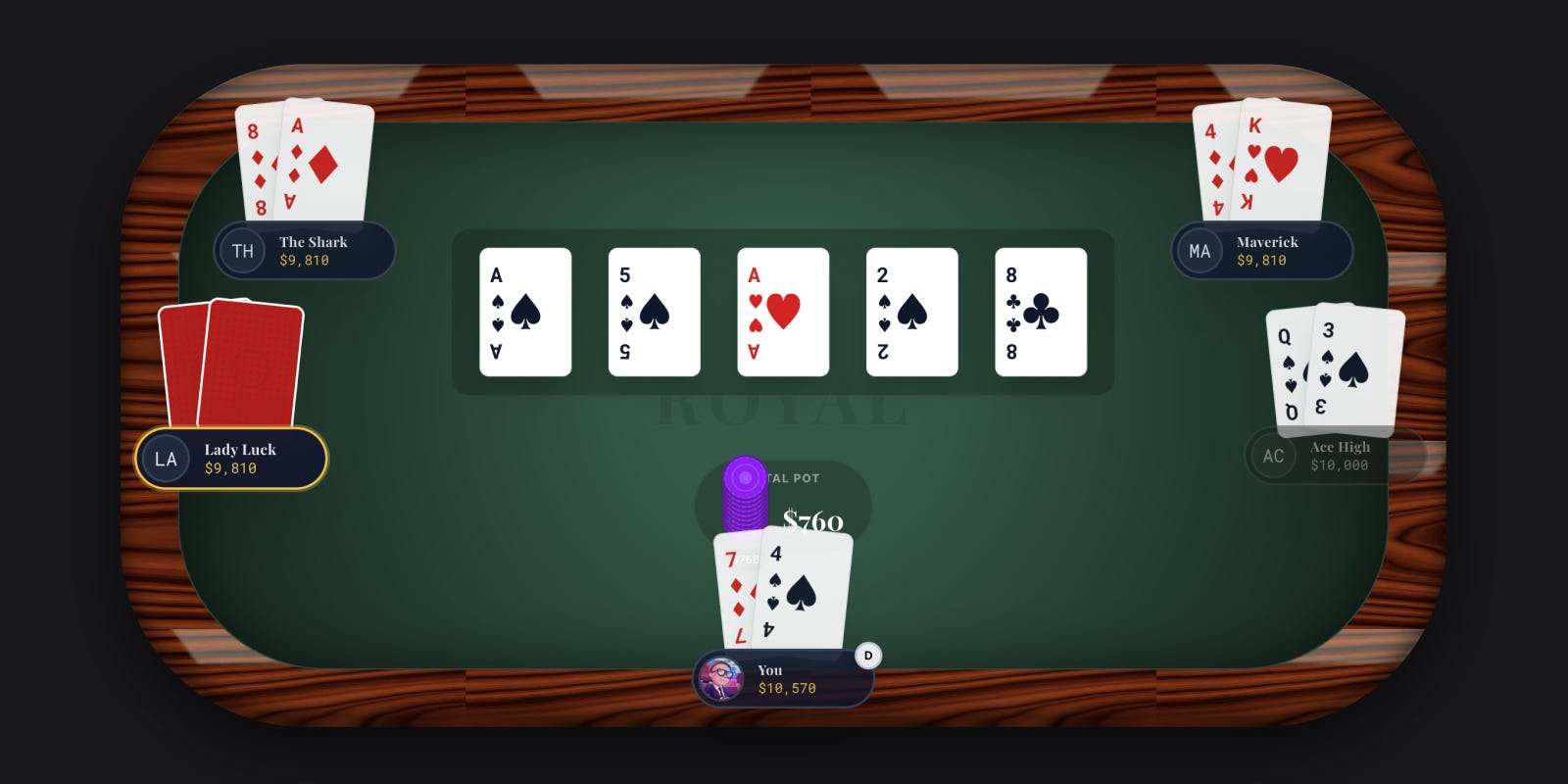
This prompt creates a complete poker game with card dealing animations, chip stacks, and a betting interface that actually works.
Create a beautiful multiplayer poker game with card dealing animations. Include chip stacks for each player, betting interface with raise/call/fold buttons, and smooth card flip animations. Use clean typography and a felt green table background. Make it functional with proper poker rules.
3. An AI workflow and agent builder interface (link)
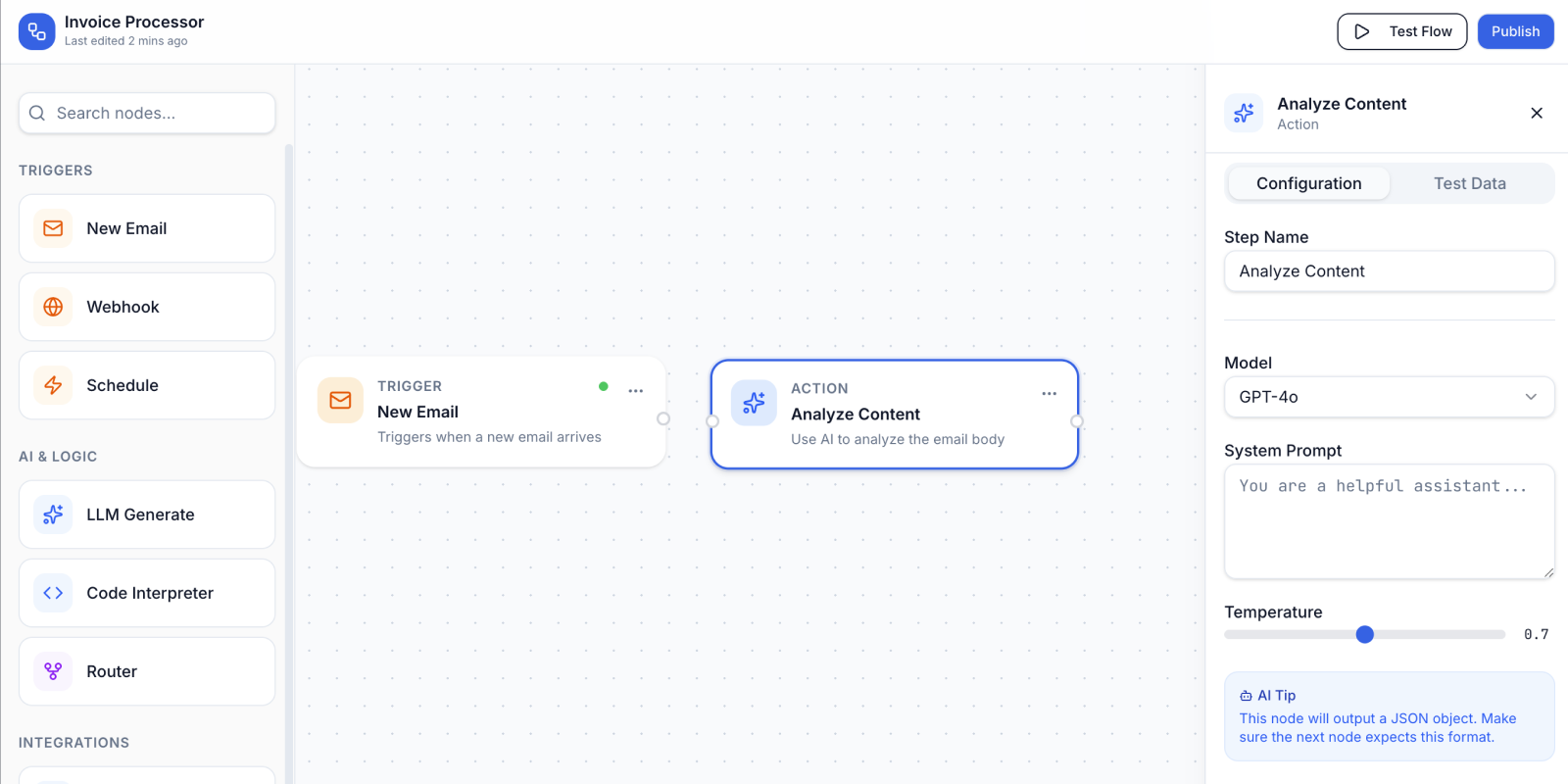
This prompt generates a workflow builder for creating and connecting AI agents.
Create a high-quality interface for building AI agents, similar to Zapier. Include drag-and-drop workflow builder with node connections, trigger and action blocks, settings panel, and testing interface. Clean modern design with good information hierarchy and intuitive flow between components.
4. A Ferrari showroom for “Dubai luxury” (link)
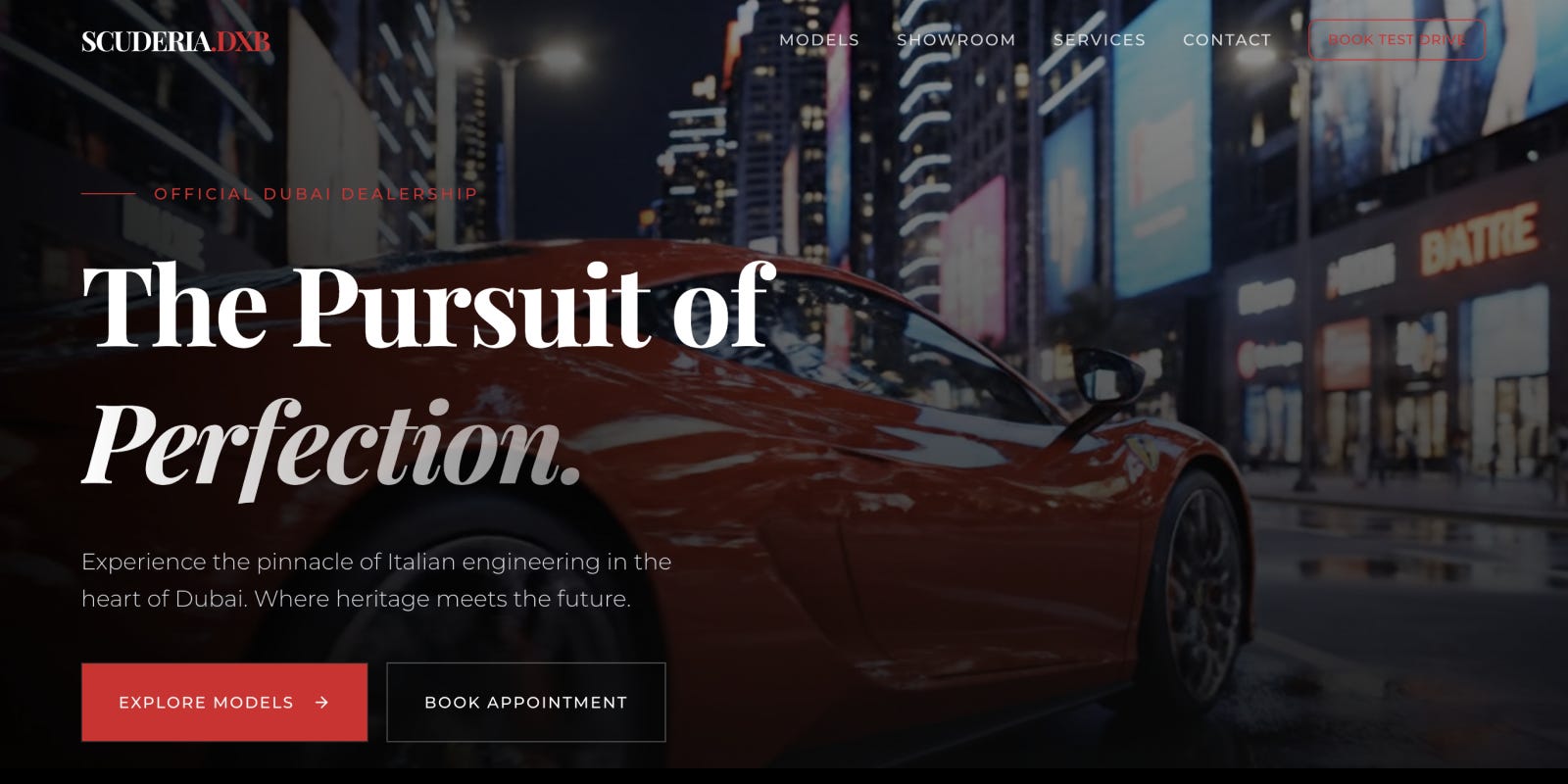
This prompt generates a luxury car landing page with full-screen videos and dramatic reveals.
Build a landing page for a Ferrari showroom in Dubai. Include: hero section with full-screen video background, featured models grid with specs and images, virtual tour CTA section, and elegant contact form. Use Ferrari’s red and black color scheme with sophisticated typography. Make it feel premium.
5. A beautiful music sequencer that plays beats (link)
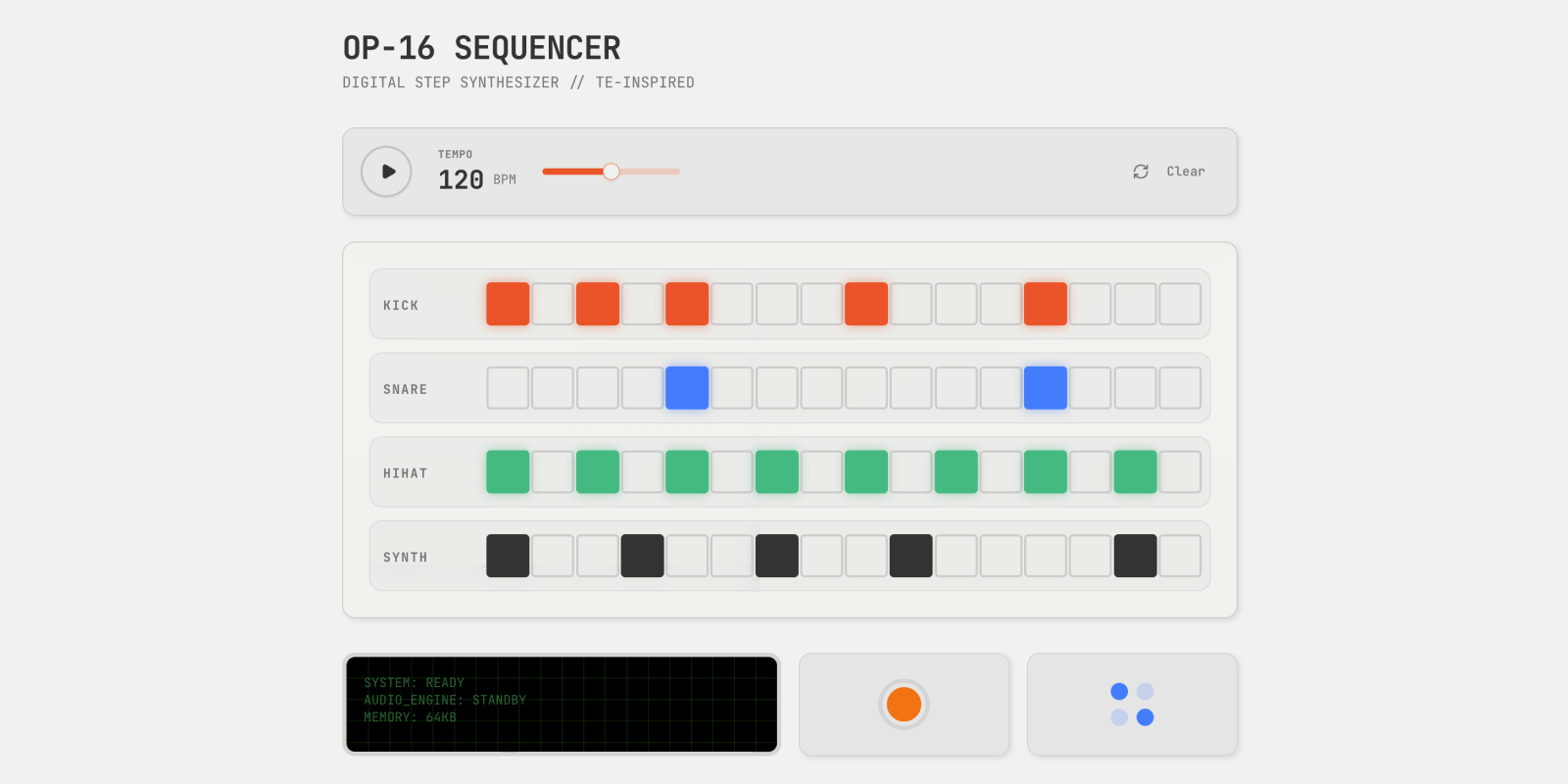
This prompt creates a fully functional music creation interface inspired by Teenage Engineering’s minimalist design.
Create a digital step sequencer inspired by Teenage Engineering. Include 16-step grid, multiple instrument tracks, playback controls, and tempo adjustment. Use minimalist design with cream background and colorful buttons. Make it functional with Web Audio API. Clean interface with proper spacing and typography.
6. A cyberpunk portfolio site for a creative director (link)
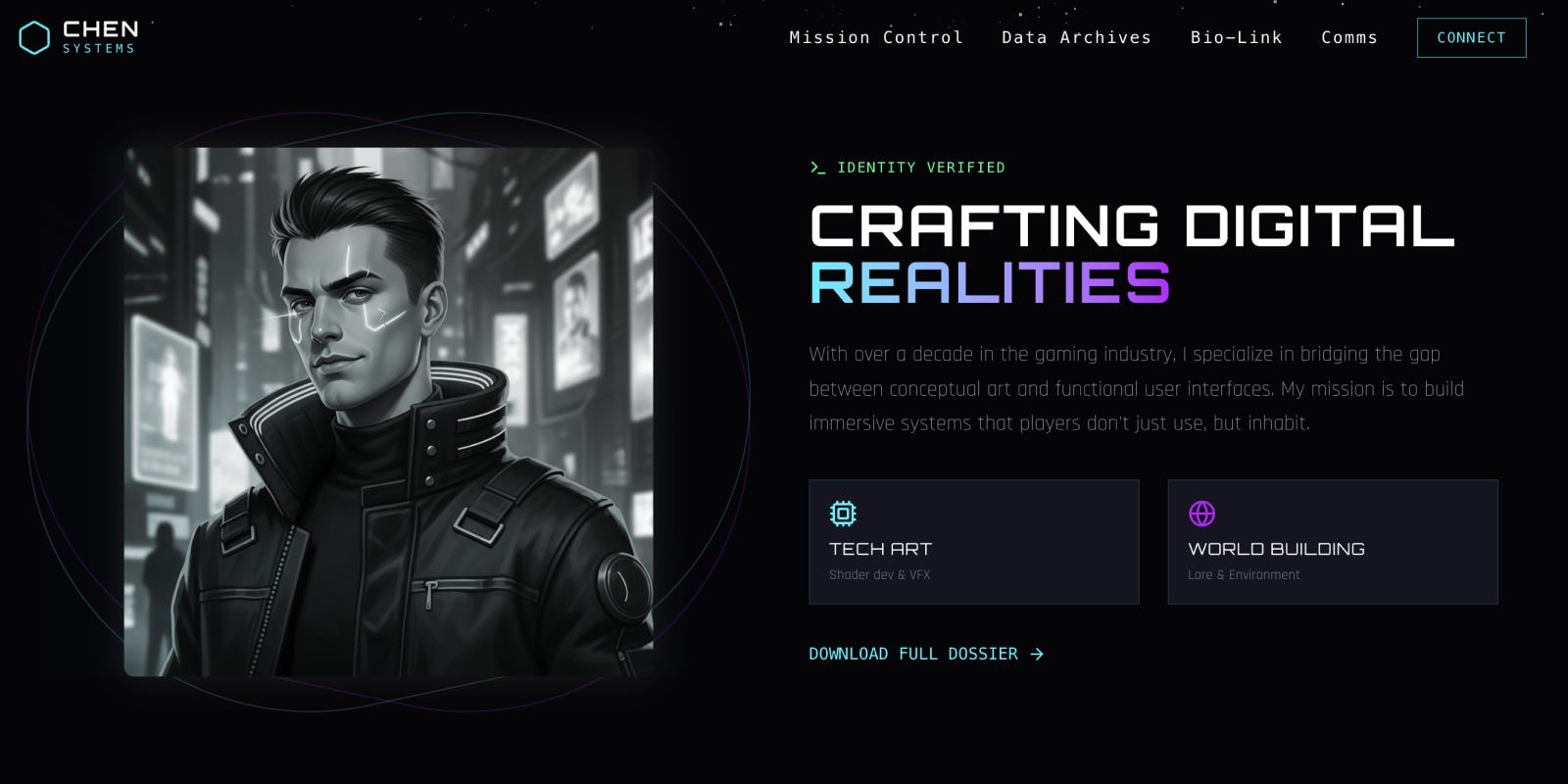
This prompt builds a cyberpunk-style portfolio with real-time particle effects and case studies. It looks a bit too much like a crypto site to me, but maybe you’ll like it.
Create a portfolio site for a creative director at a gaming studio. Aesthetic: cyberpunk command center meets sleek product design. Hero section with real-time particle system that reacts to mouse movement. Case studies designed like unlocking game levels with progress bars and video trailers that expand on click. Use dark purple and electric blue color scheme with neon accents.
7. An audio product page with buttery smooth parallax (link)
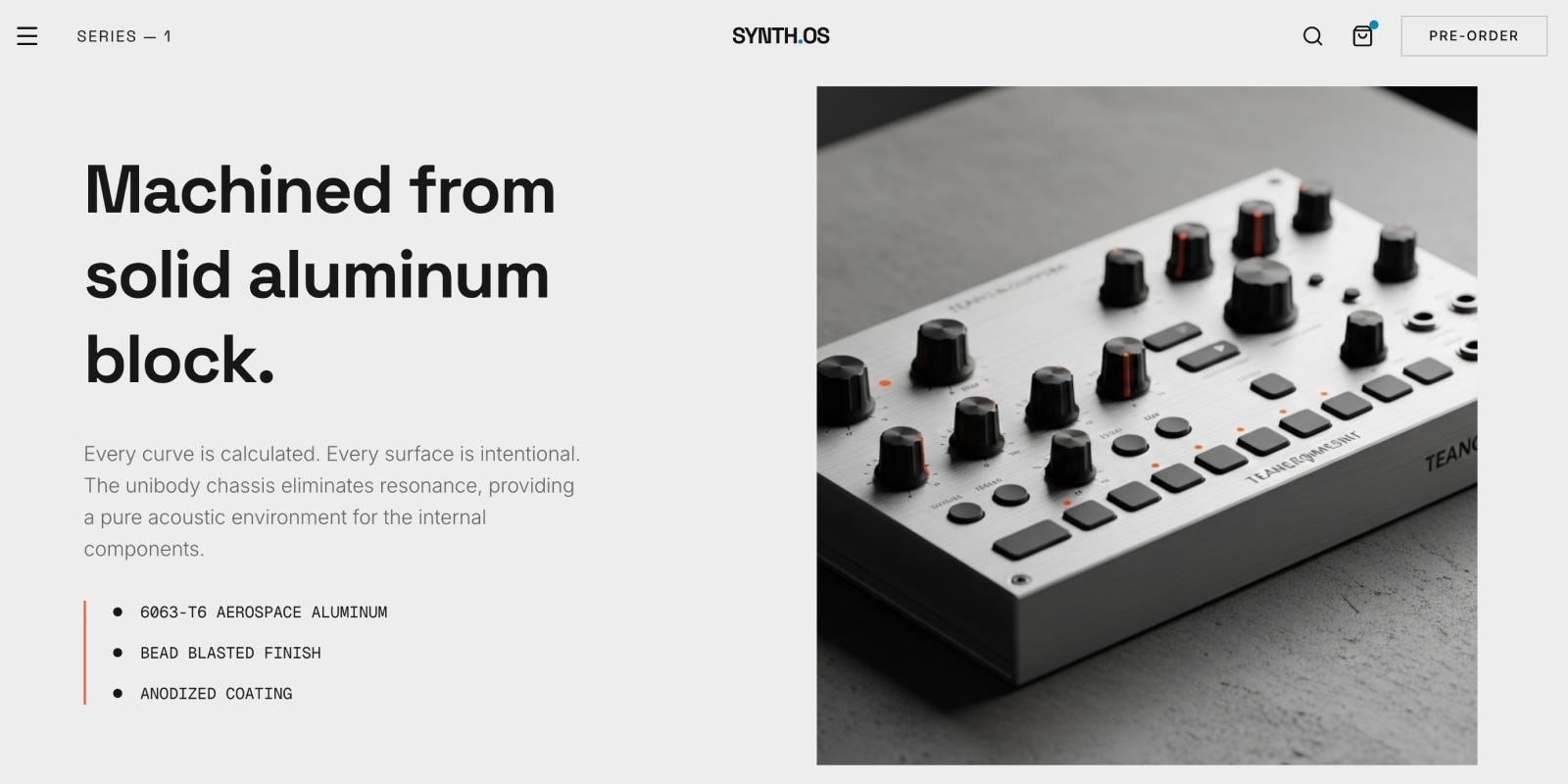
This prompt creates a minimalist product page with smooth parallax scrolling and moody product videos.
Build a product page for a high-end audio hardware company. Style: Teenage Engineering meets Bang & Olufsen. Include sections with buttery smooth parallax effects, looping videos showing the product in cinematic environments, technical specs in clean typography, and generous white space throughout. Minimalist color palette.
8. A beautiful motion design portfolio (link)
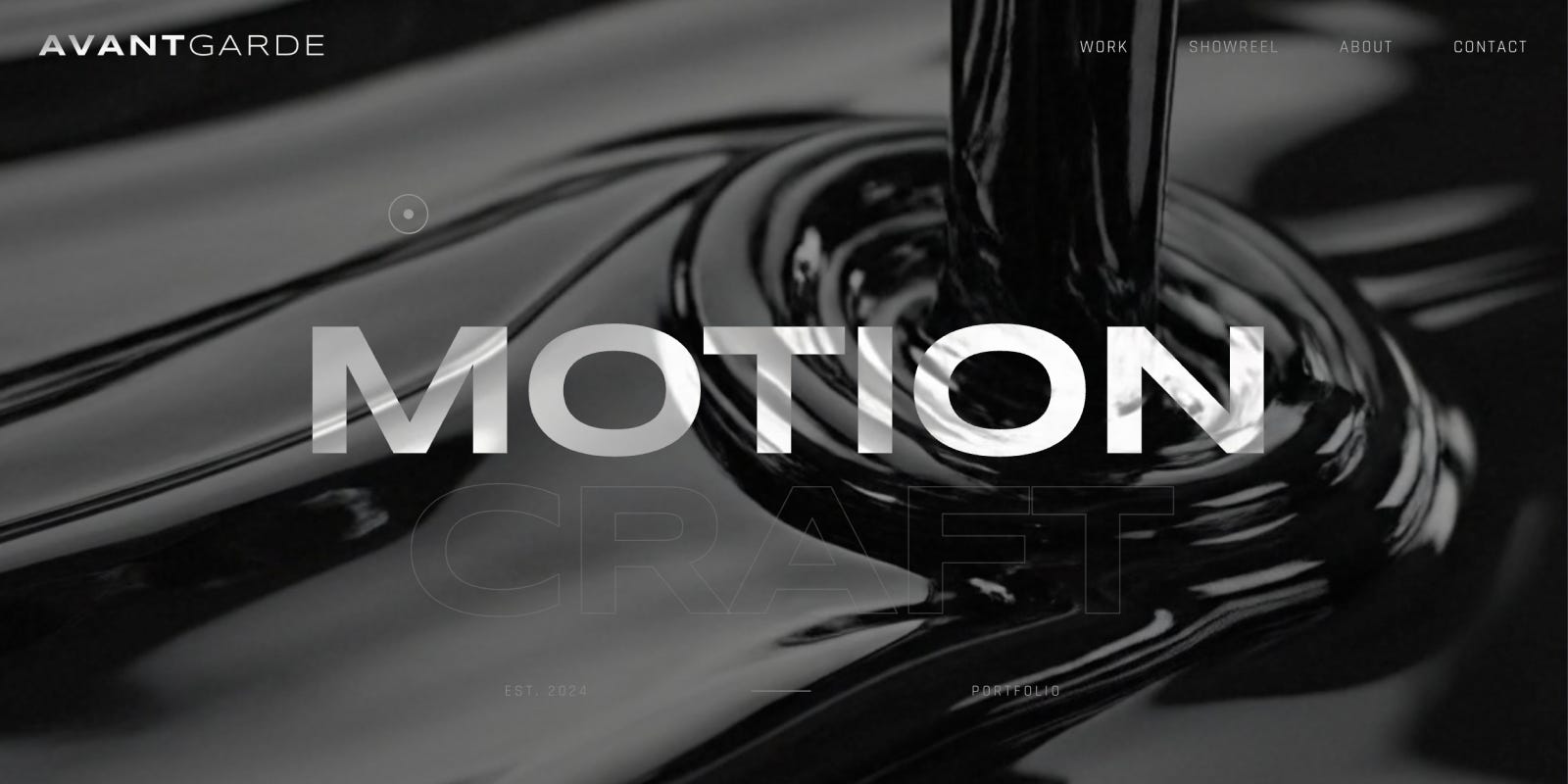
This prompt generates a portfolio site with 60fps animations and transitions that showcase motion design craft.
Build a motion design portfolio with high-end car commercial aesthetics. Include smooth 60fps animations throughout, dramatic lighting effects, dark sophisticated color palette, and transitions that demonstrate craft. Featured work should display video reels that play on hover. Navigation should feel fluid and premium.
9. A cozy journal app for late-night thoughts (link)
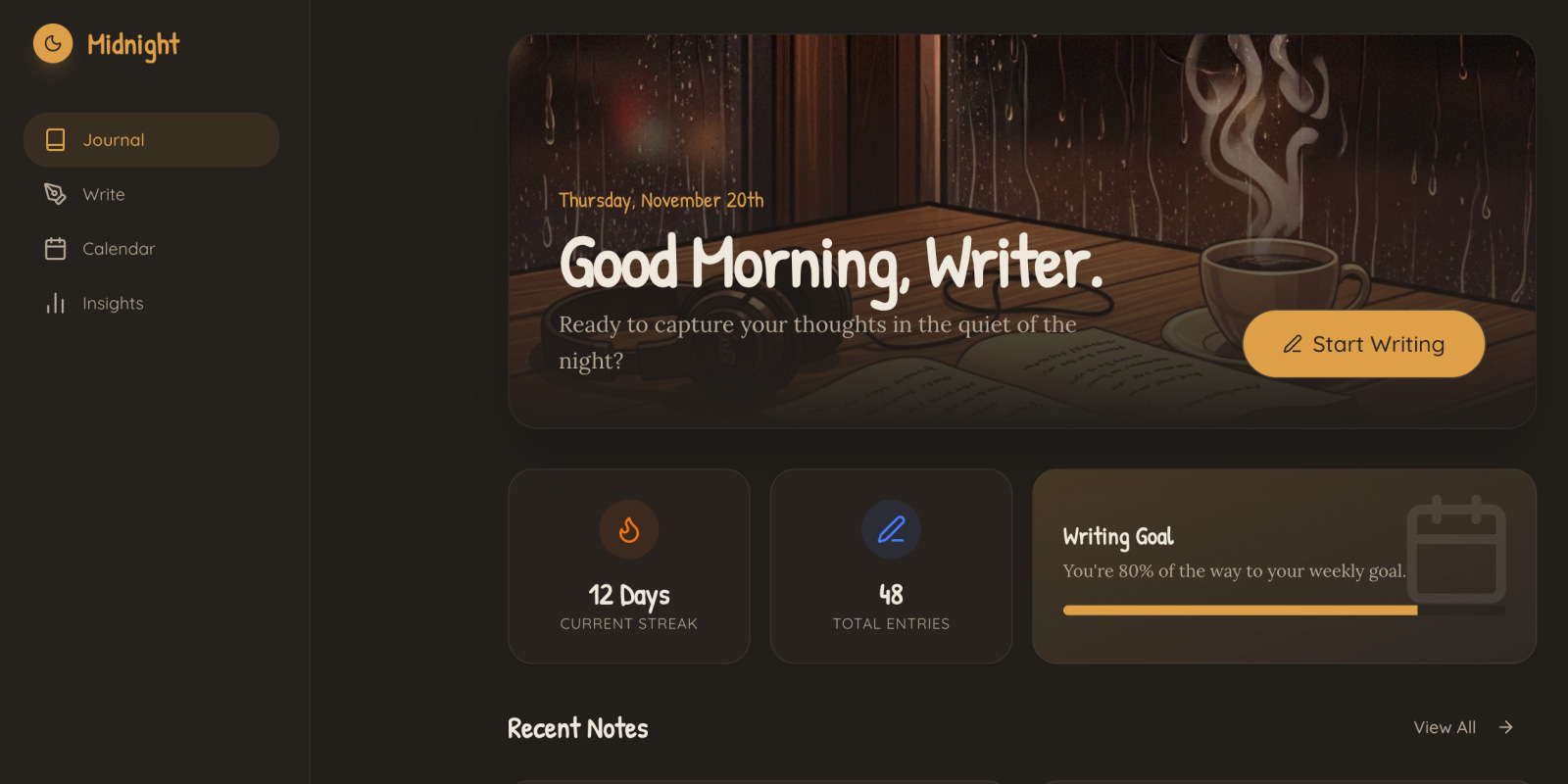
This prompt creates a warm, inviting journaling interface that encourages reflection and daily writing.
Design a personal journal app with late-night café aesthetics. Include soft amber lighting effects, comfortable rounded UI elements, gentle transitions, and a welcoming interface. Features: calendar view, mood tracking, rich text editor with formatting options, and daily writing streaks. Color palette should feel warm and inviting.
10. The most honest Bay Area real estate agency (link)
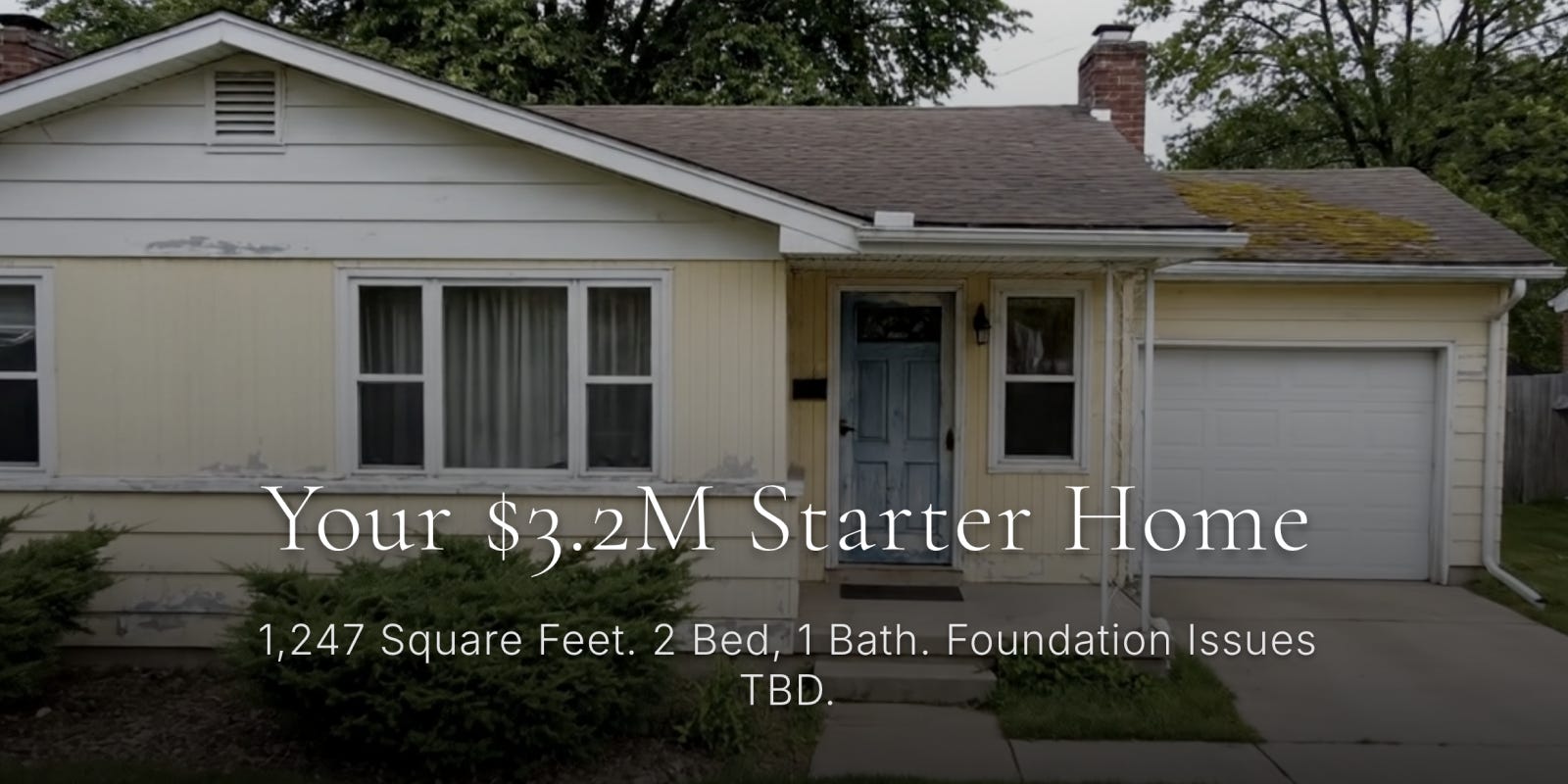
Last but not least, I used this prompt to create a satirical site for a Bay Area real estate agency. You can buy a “brilliant starter home” for only $3.2 million and “take just 90 minutes to commute 12 miles in Bay Area traffic.” 😅
Build a satirical luxury real estate site: 5 full-screen scroll-snap sections with video backgrounds (SF Aerial, Old Ranch, Street, Traffic, Sale Sign). Design: High-end editorial, white serif text, dark gradients. Copy highlights: Dream, Reality ($3.2M fixer starter home), Schools (insanely pricy private schools), Commute (90 min to drive 12 miles), Opportunity (bidding war). Add smooth scroll animations.
The holidays are a perfect time to build
If you ever get tired of talking to your relatives, here’s what I recommend:
Download Replit Mobile
Get 3 months free by upgrading to my annual plan (offer expires in 5 days)
Copy one of my prompts above into Replit and watch the magic 🙂
To be honest, I built some of the websites above while waiting in line for boba tea. This is the world that we live in now.
Watch the video tutorial if you need more help and subscribe to my YouTube if you enjoyed this guide.
I think we're going to be close to seeing one person web design agencies/studios that are entirely built from the ground up using AI and agents. Even with the ability to one shot beautiful UIs and designs, most people (even the ones who use an AI tool like Gemini or Claude or ChatGPT) will still not feel comfortable enough navigating around these types of tools and interfaces and will want some to "build a site for them". Perhaps using natural language to describe the site you're looking for is going to make the design process easier as well (shorter distance between what the client wants in their head to what the agency produces on screen). But I have a feeling this is right around the corner.
The only question is what the market will pay for something like this and whether current web design agency pricing will be able to stay where it is or will need to adjust down.
did you mean "claude + replit" on this youtube vid title? I didn't see a single shot of gemini in the whole video!