


Dear subscribers,
Today, I want to share a new episode with Bin and Jake.
Bin and Jake built HyperFrames, a free open-source tool that turns HTML into product launch videos that used to cost thousands of dollars ot make. In this episode, they showed me how to one-shot a video from any website. Jake also revealed his full 5-step video workflow to make polished videos with Codex or Claude Code.
Watch now on YouTube, Apple, and Spotify.
We talked about:
(00:00) From HTML to professional launch videos with AI
(02:16) Getting started: Install HyperFrames for free
(03:50) /website-to-video: Turn any URL into a launch video
(08:28) Jake’s 5-step playbook to generate better videos
(10:03) Step 1: Gather assets and create a frame.md
(11:46) Step 2: Create a storyboard.md with the scenes
(12:45) Step 3: Pull animations from HyperFrames launches
(15:43) Step 4: Generate and review static frames
(17:20) Step 5: Build the video and polish in Studio
I’m proud to partner with Wispr Flow

When I’m building with Codex or Claude Code, I use Wispr Flow to dictate all my prompts instead of typing. It’s more accurate than other AI voice dictation tools and saves me hours every week. Try it out for free with my exclusive link below.
Getting started with Hyperframes
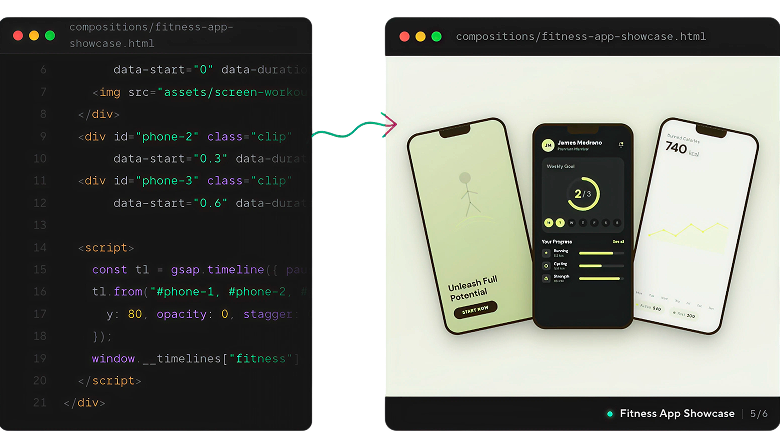
Install HyperFrames for free to make videos from HTML. Hyperframes is a free and open source repository for making videos. To install it, just type “npx skills add heygen-com/hyperframes” in terminal or point Codex or Claude Code at the repo.
After HyperFrames is installed, try the website-to-video skill first. In Codex or Claude Code, prompt “Use /website-to-video to turn [paste URL] into a 30s promo video.” Paste a website you like, and HyperFrames will make the launch video in one shot by pulling the site’s screenshots, assets, copy, and brand look.
Jake’s 5-step playbook to generate better videos
While Hyperframes makes it easy to generate basic videos, it still takes a bit of work to generate professional animated videos like the above. Jake shared his 5-step playbook with me to do just that:
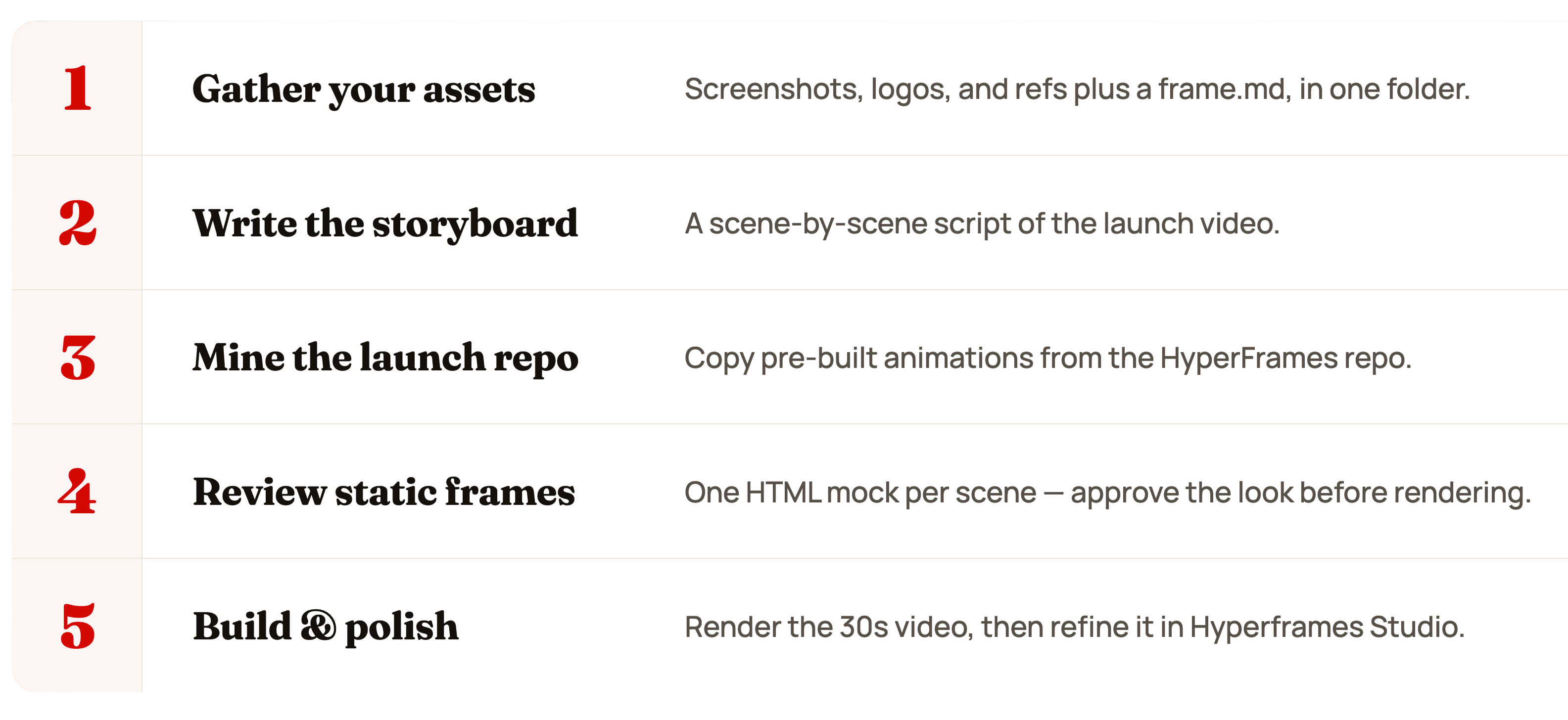
Here’s a detailed walkthrough of each step: