


Dear subscribers,
Today, I want to show you how to build a Claude Skill to write better.
Skills have the potential to be the biggest AI productivity unlock since Projects.
Think of a skill as expertise that AI can trigger from any conversation. But the product is still early and you have to know how to get AI to trigger the skill reliably.
Watch my tutorial to build a new skill to avoid AI slop writing forever and trigger it reliably from any conversation.
Timestamps:
(00:00) What exactly are Claude Skills?
(01:51) Skills vs Projects: When to use each of them
(02:46) Building a writing style skill to avoid AI slop forever
(06:26) My hack to get Claude Skills to trigger reliably
(11:04) Building a strategy doc template for our writing skill
(13:46) How to get started with Claude Skills now
Watch now on YouTube or read the written guide below.
This post is brought to you by…Radiant

Most meeting tools stop at notes and summaries. Radiant goes further.
It’s an AI meeting assistant and workspace that turns your conversations into ready-to-send emails, briefs, updates, and tasks. You review, refine, and send. No annoying bots joining your calls, and no copying meeting notes into ChatGPT.
What is a skill?

A skill is just a folder with instructions that AI can trigger based on a given task.
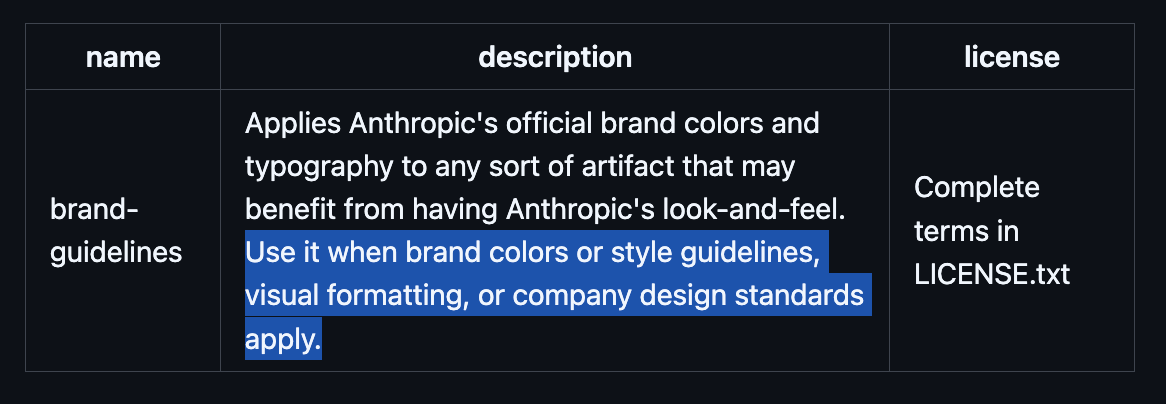
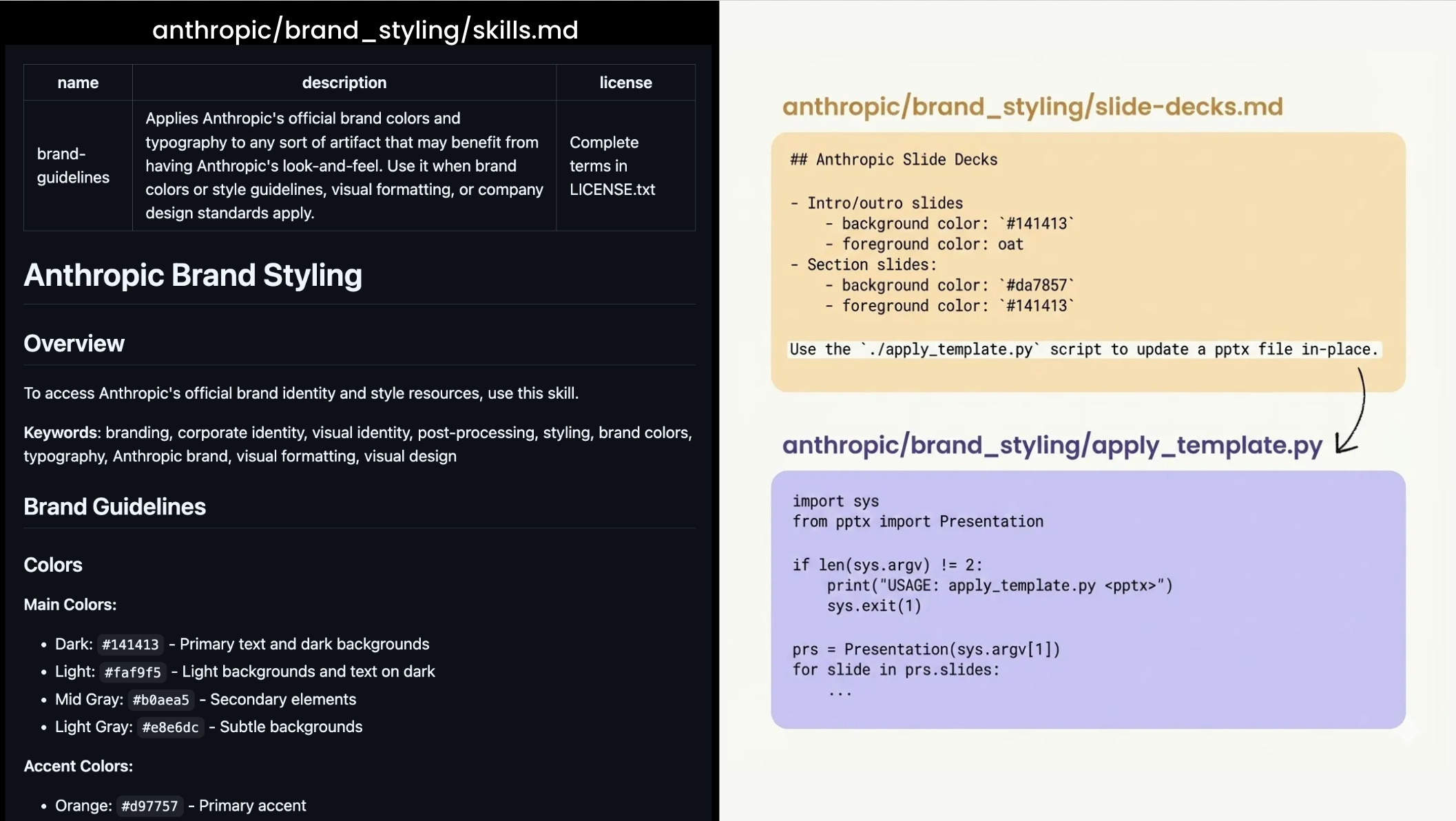
For example, the skill in the image above applies Anthropic’s brand guidelines to any artifact. Here’s a breakdown of each file:
Skill.md (required). Tells AI what the skill does (e.g., main colors = #141413). Be sure to write a clear description that AI will use to decide when to trigger the skill.
Reference (e.g., slide-decks.md). Templates that AI can pull in if needed.
Scripts (e.g., apply_template.py). Code that AI can execute to apply the skill.
Here’s a snapshot of the contents of each file:
When to use Skills vs. Projects
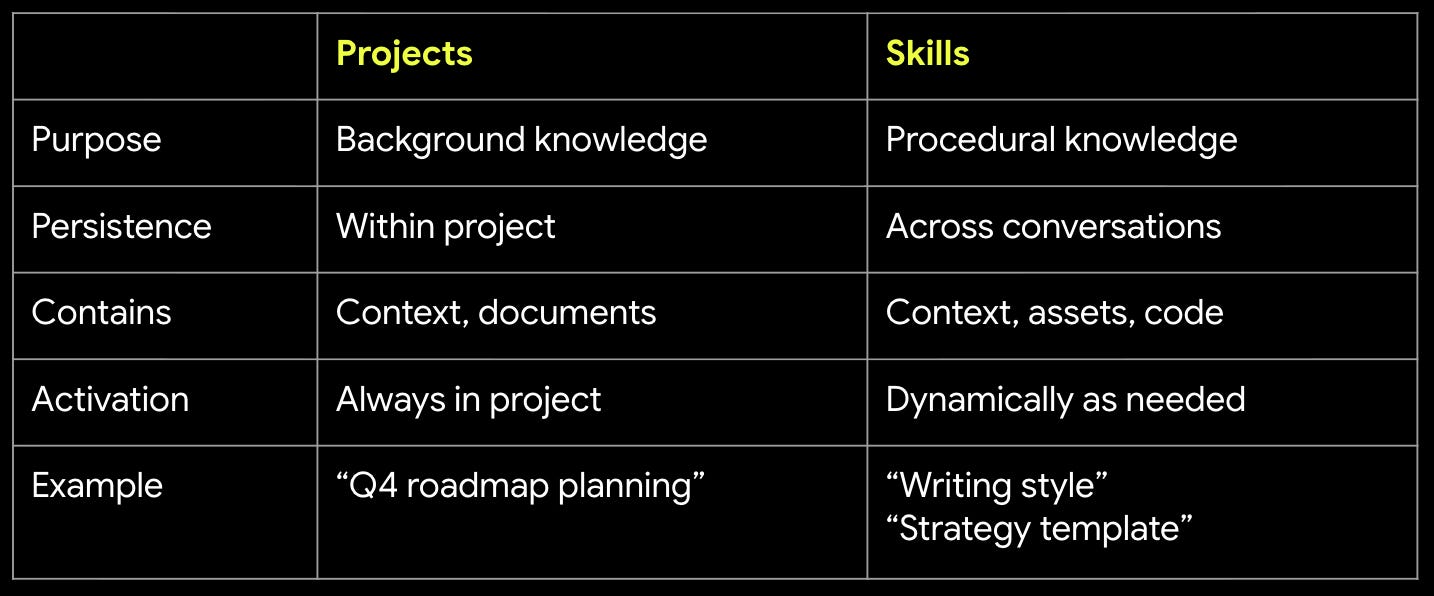
Skills complement Projects well:
Use Projects to upload materials for a specific work stream.
Use Skills to train AI to follow your instructions across all relevant conversations.
Here’s a simple comparison table:
To me, the core value of skills is that AI is supposed to know when to trigger it based on your conversation. But in practice, this doesn’t work reliably yet. I’ll share a hack in the steps below to fix this problem.
What we’ll build: A skill to write better and avoid slop
Let’s build a writing skill that:
Improves your writing and avoids AI slop.
Knows how to create a great strategy doc using my personal template.
1. Create the writing-style skill
Nobody likes walls of text, so I keep my writing simple, short, and specific. I use short paragraphs mixed with numbered lists that have bold stems for easy scanning. I also avoid the telltale signs of AI slop:
AI phrases. e.g., “It’s worth noting,” “importantly,” “overall”
AI words. e.g., Delve, foster, underscore.
AI styles. e.g., “Not only X, but also Y,” “question? answer”, too many em dashes.
a) Prompt AI to create the writing-style skill
Here’s the exact prompt to get Claude to create a skill that’ll permanently improve your writing and avoid AI slop: