


Dear subscribers,
Today, I want to share a new episode with Jason Liu.
Jason is a DevEx engineer on the Codex team. In our episode, he showed me how he runs his entire workday using Codex, from his chief of staff thread for Slack and email to setting up long-running tasks that have verifiable goals. Jason wrote the official OpenAI handbook on how to get the most out of Codex, so don’t miss this episode.
Watch now on YouTube, Apple, and Spotify.
Jason and I talked about:
(00:00) The only job left after AI can do the work
(02:40) Turn pinned threads into long-running workspaces
(05:50) Build a chief of staff across Slack, email, and Linear
(10:12) Teach Codex to write like you for every audience
(13:33) Mine past sessions for new skills and workflows
(20:01) How Codex revised a launch video while Jason was out
(24:23) Build a drum practice site around how you learn
(25:59) Goal, plan, and worklog for long-running Codex tasks
(33:52) Why taste starts with knowing what feels wrong
I’m proud to partner with Google AI Studio

Google AI Studio was my go-to prototyping tool when I was a product manager. You can use it to generate three versions of your product, add visuals with Google’s Nano Banana model, and publish them to a custom URL for customer feedback. It’s an easy, free way to move from prompt to something your team or customers can try.
Top 10 takeaways I learned from this episode
Build a Codex system that improves itself
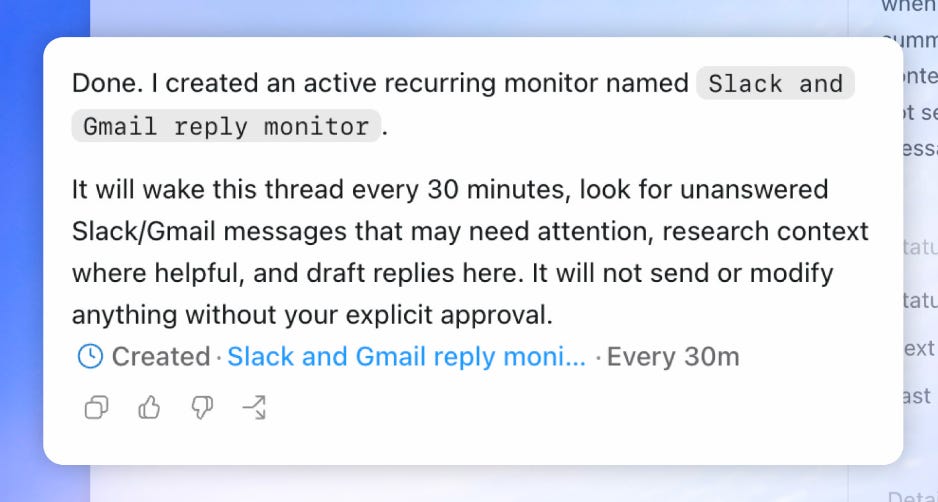
Build a chief of staff Codex thread that manages your email, Slack, and more for you. At 9 am, 1 pm, and 5 pm, Jason’s chief of staff thread reviews his Slack, emails, Twitter DMs (through browser use), and Linear before surfacing priorities with links and draft replies. Here’s a prompt you can modify to set this up:
Turn this thread into my chief of staff. At 9 am, 1 pm, and 5 pm, review my unread email, calendar, Slack, Twitter DMs, and Linear.
Tell me what needs attention and what I should prioritize, with a direct link to every item. Research the context and draft replies, but do not send anything without my approval.
Ask Codex to look at your past sessions to build new skills and workflows. Codex has memory of all your past conversations, so the best way to save time is to ask it to find workflows from your manual iterations that it can build new skills to automate. Here’s a prompt you can paste to do this right now: