


Dear subscribers,
Today, I want to share a new episode with Tom Krcha.
Tom is the CEO of Pencil, one of the most insane AI design apps I’ve seen. Watching 6 AI agents design a beautiful app in real-time will genuinely blow your mind. Tom showed me how it all works under the hood (a simple JSON file?!) and how you can use Pencil to design right where you code in Cursor, Claude Code, and more.
Watch now on YouTube, Apple, and Spotify.
Tom and I talked about:
((00:00) Watch 6 AI agents design an app together
(03:09) Demo: Designing a travel app with an AI agent swarm
(08:20) Redesigning screens in different styles on the fly
(13:20) The Pencil extension that turns Cursor into a design tool
(15:07) One prompt to go from visual design to React website
(19:00) Using design systems to keep your AI output consistent
(22:02) From side project to 100K users in 8 weeks
(27:44) Why vibe coding reminds Tom of the Flash era
(30:05) Humanizing AI with cursors, craft, and personality
This episode is brought to you by… Linear

Linear lets AI agents help you in every step of your product development process — from reading customer conversations and auto-creating issues, to de-duping them against the backlog and routing them to the right team.
You can also tag the Linear agent directly in Slack to assign bugs and small features to other agents like Cursor and Codex.
Top 10 takeaways I learned from this episode
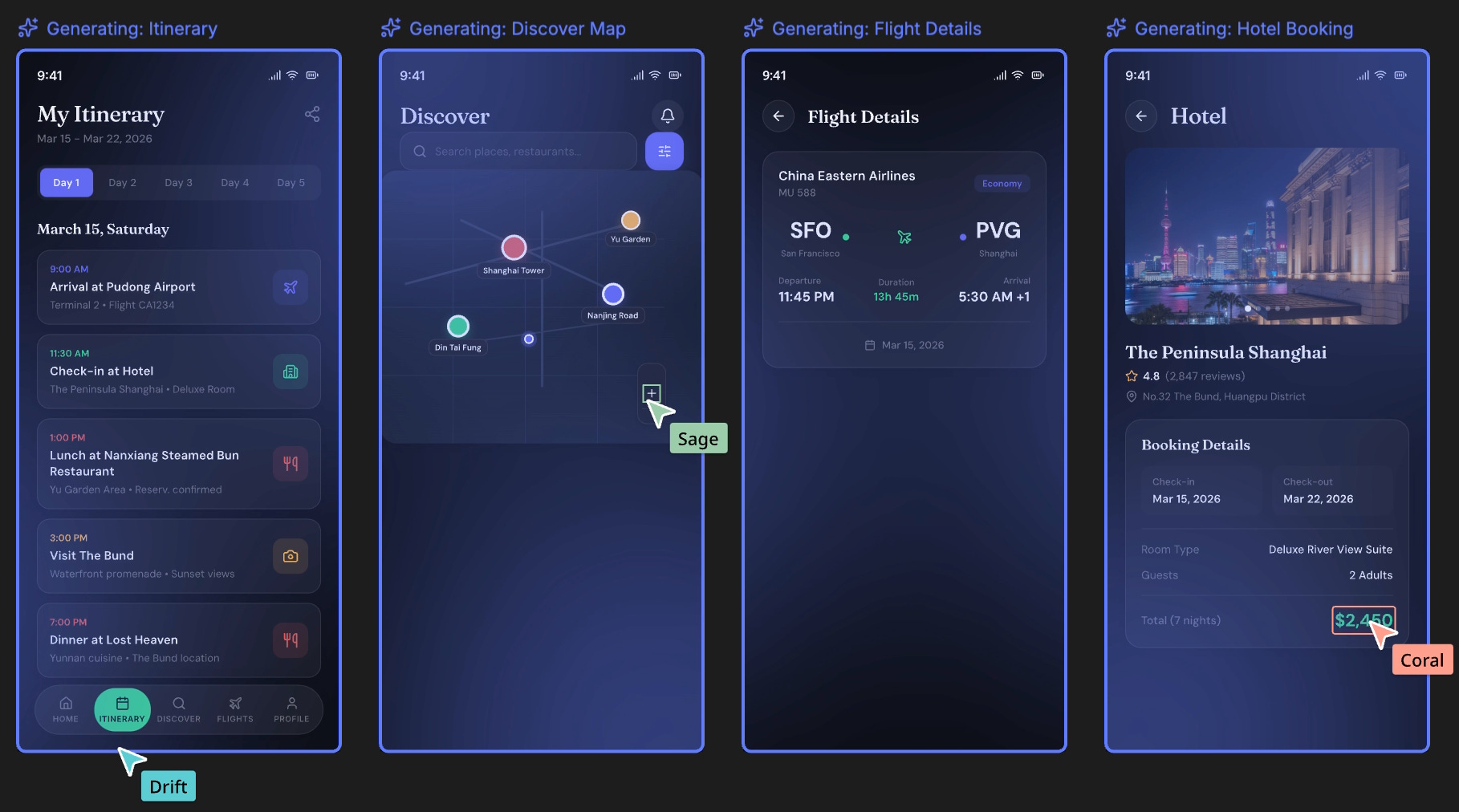
Pencil lets up to 6 AI agents design together on a visual canvas using .pen files (which are just JSON). Here’s how to set up Pencil on each channel:
App: Download from pencil.dev (Mac, Windows, Linux) — it’s free.
Cursor: Install “Pencil” extension from the Extensions store.
Claude Code: Open Pencil, run
claude, type/mcpto verify connection.
Build your first design with swarm mode. After downloading Pencil, add your AI model (Claude 4.6 works best), turn on swarm mode, and prompt “Design an app to do X.” Then sit back and watch the magic.