


Today, I’m excited to launch Behind the Craft, my personal AI operating system for paid subscribers. My goal is to make this the most practical AI membership available online.
Here’s what you get when you sign up:
10 hand-crafted AI skills that I rely on for personal (Personal Advisor, Health Coach, Weekend Planner), product (Strategy Writer, Spec Writer, Exec Reviewer), and creator work (Social Writer, Infographic Designer, No AI Slop).
3-6 months free for Wispr Flow, Granola, Replit, Linear, and more ($270 value) for new paid users of each AI tool. Plus 20+ prompts that I use personally.
An invite to my member-only Slack community with 700+ builders.
Already a paid subscriber? Sign in with your paid subscriber email.
Not yet a subscriber? Upgrade now and you’ll get an invite link in your email.
Watch this 8 min video to see me give a tour of behindthecraft.com:
I plan to add full guides for OpenClaw, Hermes, Claude Code, and Codex — the 4 products that have changed how I work. Prices will go up once all of these guides are live, so subscribe to lock in the early bird price.
10 handcrafted AI skills that you can set up now
Most AI skill packs dump 100 skills on you and let you sort the slop yourself. The skills below are what I actually use every week and all 10 are available now in the Behind the Craft portal.
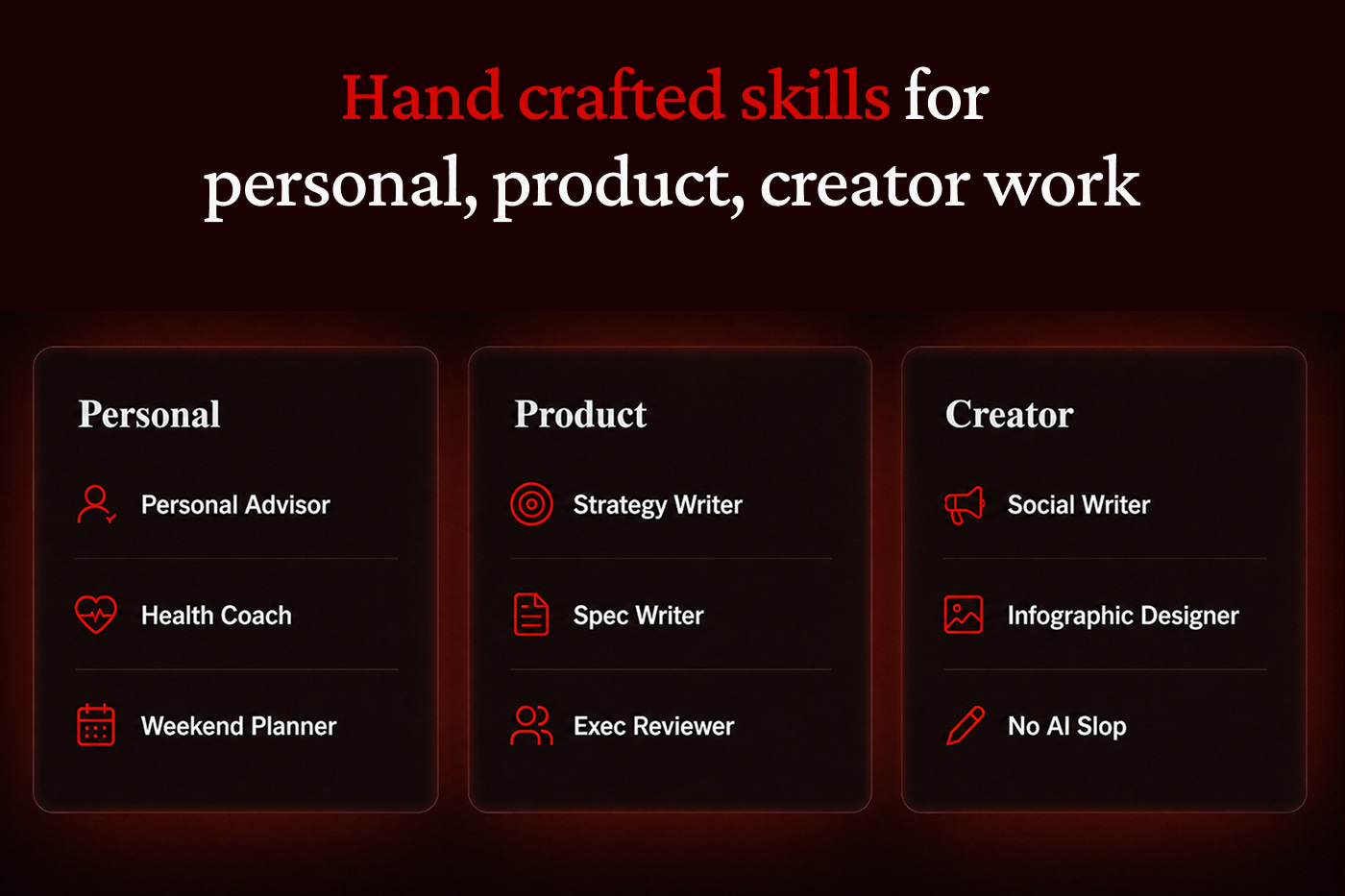
Personal
Personal Advisor: My favorite skill. Get honest advice grounded in your goals, energy, and life situation.
Health Coach: Get evidence-based tips on workouts, meals, and sleep, based on your health metrics and routines.
Weekend Planner: Find 10 time-sensitive things to do on an upcoming weekend personalized for your location, preferences, and constraints.
Product
Strategy Writer: Shape a crisp one-pager document with vision, principles, strategy, and milestones.
Spec Writer: Turn rough notes into a clear spec with my personal PRD template.
Exec Reviewer: Set up a profile for your CEO or leader and get their feedback before the real review.
Creator
Social Writer: Turn your draft into 3 LinkedIn/X posts based on my most viral hits.
Infographic Designer: Create a simple design system before generating beautiful, consistent infographics for your content.
No AI Slop: Removes 10+ types of AI slop from your writing.
I’ve also included Skill Editor, the skill I use to build and edit every other skill. More on that below.
How I created these AI skills
Skills are the best way to share your expertise with others, so I treat building one like creating a real product. Specifically, I go through 5 phases:
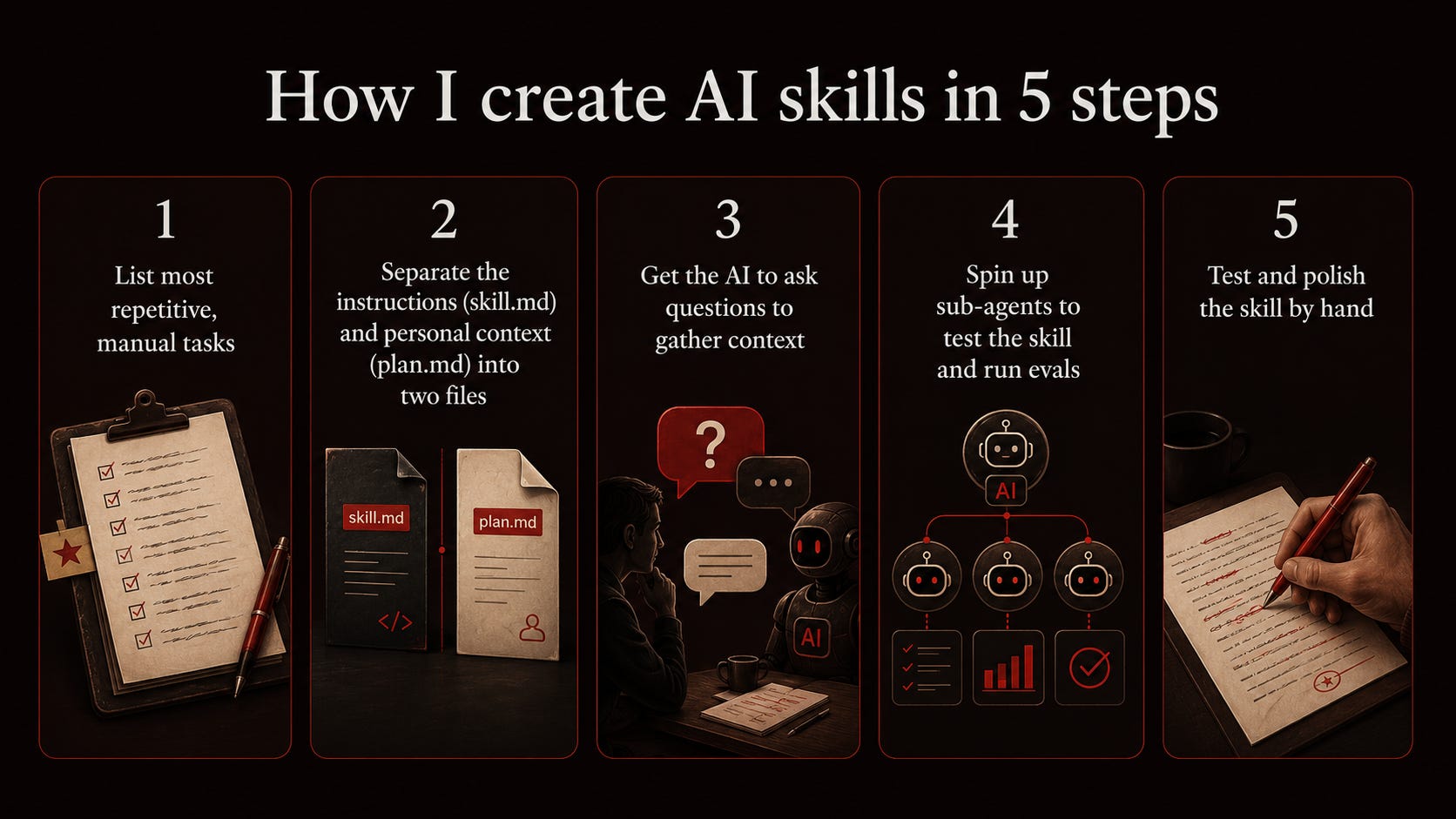
List the most repetitive, manual tasks. The ones I do by hand or that require a lot of copying and pasting into AI are the best candidates. For example, I often ask AI for business advice (Personal Advisor) or to remove AI slop (No AI Slop).
Separate the instructions from the personal context. I split each skill's instructions (skill.md) and my personal context (plan.md) into two files. The context file auto-updates from past chats so the skill improves over time.
Get the AI to ask questions to gather context. Many skills tell the AI to ask a few questions first. For example, the first time you run Weekend Planner it’ll ask you about your location, preferences, and constraints.
Spin up sub-agents to test the skill and run evals. A set of agents test the skill with common and adversarial queries, while another set grades each response pass/fail. The AI keeps iterating until everything passes.
Test and polish the skill by hand. I always test each skill and make manual edits to improve it. This is the difference between slop and a skill that’s worthwhile.
I’ve found that these steps lead to much better skills. You can use the Skill Editor skill in the portal to follow the same process to create your own.
What’s coming next
I’ve been creating content for 3 years, and it’s only because of my paid subscribers that I can keep doing this. Over the next few months, I plan to deliver to them:
Builder skills, starting with skills to create beautiful slides and landing pages.
My full personal OS for Hermes / OpenClaw and Codex / Claude Code.
Awesome launch! Thank you!
Love this framing!The idea of a personal AI operating system feels much more durable than random prompt hacks. Congrats on the launch 👏Love your work btw: would be fun to cross-recommend each other sometime if you’re open 🤝🙏