


Dear subscribers,
Today, I want to share a new episode with Logan Kilpatrick.
Logan is the Product Lead for Google AI Studio. I got him to give me an inside look at how he uses AI Studio to build AI Studio (very meta) and how his team ships at startup speed inside Google. I’ve been using AI Studio non-stop for prototyping and it has genuinely made my PM job more fun, so don’t miss this tutorial.
Watch now on YouTube, Apple, and Spotify.
Logan and I talked about:
(00:00) Tour of Google AI Studio's Build mode
(06:29) Live demo: Building a social media content generator
(09:31) How Logan uses AI Studio to build AI Studio
(11:34) Cloning the AI Studio UI in 68 seconds
(12:58) Getting AI to show you 5-6 design options in one UI
(17:20) Live demo: Building a restaurant finder with Google Maps
(21:12) Using annotate mode to give visual feedback
(34:09) "There's one mode and the mode is we ship fast"
(36:00) What Logan looks for when hiring PMs
This episode is brought to you by…Box

Getting structured data out of contracts, invoices, and scanned documents usually means time-consuming manual work but Box Extract uses agentic AI to transform how businesses analyze their data.
Powered by leading AI models from Google, Anthropic, and OpenAI, Box Extract pulls out critical information and saves it in Box, making it easier than ever for enterprises to quickly access actionable insights. No custom model training required.
Top 10 takeaways I learned from this episode
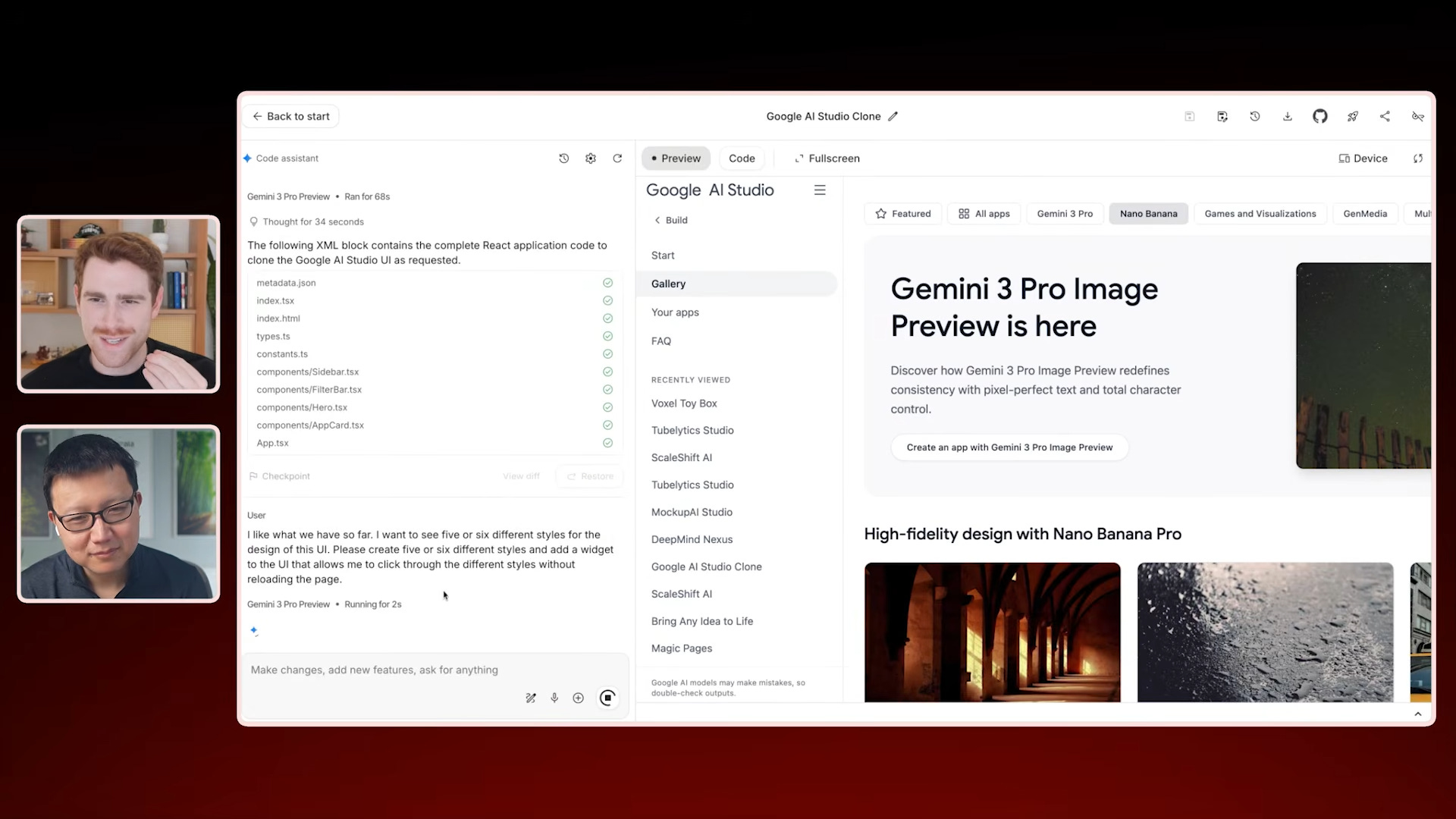
Clone existing UIs instead of prompting from scratch. Logan’s go-to workflow is screenshotting his existing AI Studio interface, pasting it into AI Studio, and saying “clone this UI exactly.” He then prototypes new features on top of this template.
Explore multiple UI options in a single view. Instead of building separate prototypes, he asks the AI to add a button that toggles between design variations in one UI. Simply prompt AI Studio: “Add a widget so I can click through these styles: [describe 3-5 different styles].”