


Dear subscribers,
Replit just launched Agent 4, and I got early access over the weekend.
In this tutorial, I’ll show you how to plan, design, and build a habit-tracking app live using Agent 4’s new infinite canvas and parallel agents.
I’ll also show you how to generate presentations and animations from code, all in just 10 minutes. Watch now on YouTube or read the written guide below.
Timestamps:
(00:00) Three new features in Replit Agent 4
(00:34) Step 1: Design a habit tracker app with the infinite canvas
(03:39) Step 2: Build faster with parallel agents
(05:52) Step 3: Publish a full-stack app in one click
(07:11) Step 4: Generate a slide deck and animation from code
(08:58) Honest take: where Replit fits in the AI coding market
What we’ll build
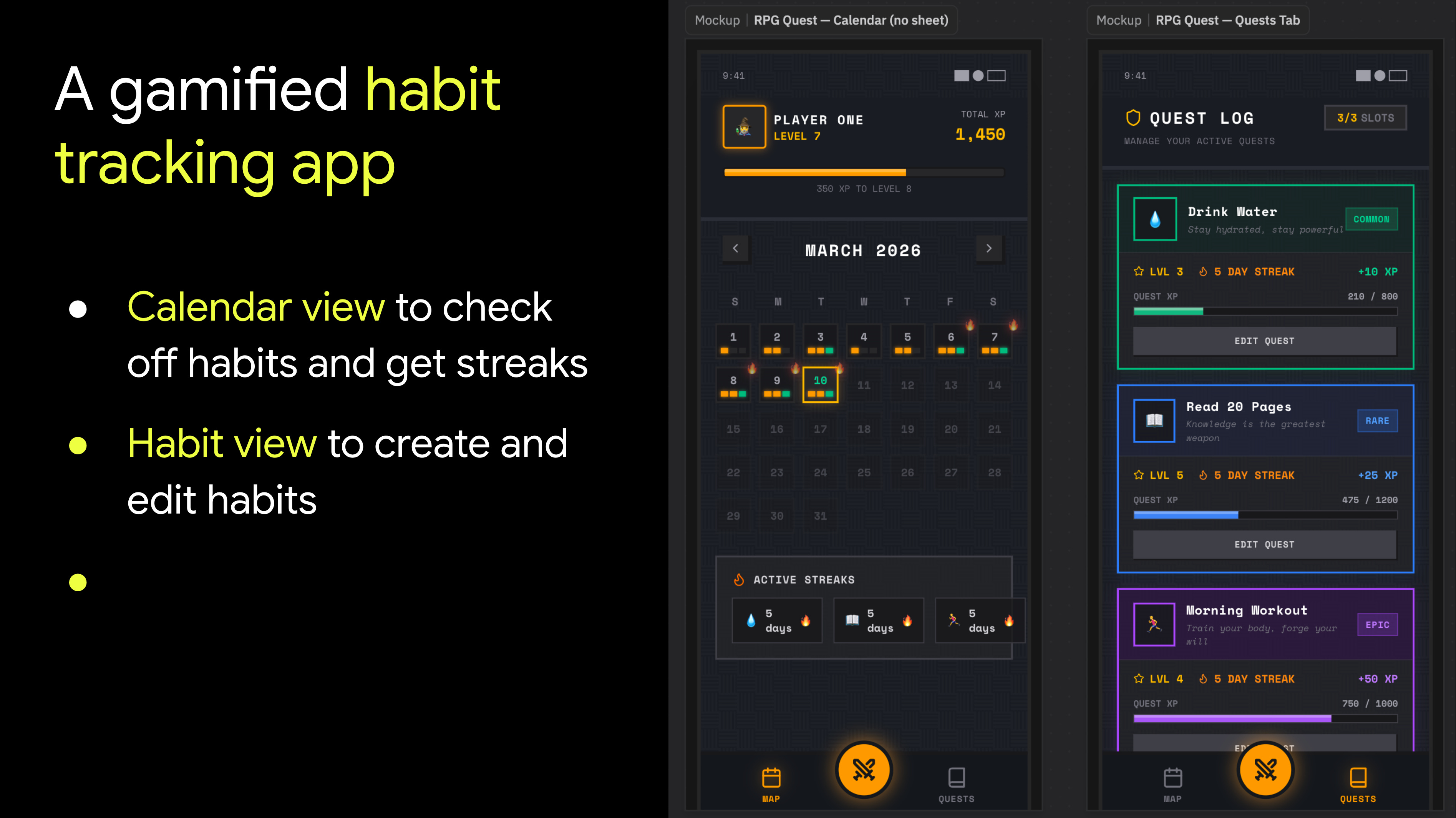
I’ve always wanted an app where I can check off habits on a calendar and track streaks to stay motivated. So let’s build it now. 🔥
1. Design the habit tracking app with canvas
Let’s start by trying out Replit’s new infinite canvas with this prompt:
Build a mobile habit tracker app (max 3 habits). Two tabs: Calendar (default) and Habits (create/edit).
Calendar tab: Monthly view. Show a progress in each date ring that fills as habits are completed. Tap a date to open a bottom sheet with toggle cards for each habit.
Habits tab: Create and edit habits. Name field, color assignment. Clean and minimal.
Let’s start by exploring 4 design variants for the calendar tab on canvas:
Glassmorphic — dark, frosted-glass cards, soft glows, premium feel
RPG Quest — pixel art, XP bars, streak flames, gamified
Botanical — living garden metaphor, streaks grow plants, calm and earthy
You surprise me
Note how I asked Replit to generate four different designs. Behind the scenes, it spins up four separate agents to do the work. Here are the first three designs it generated:
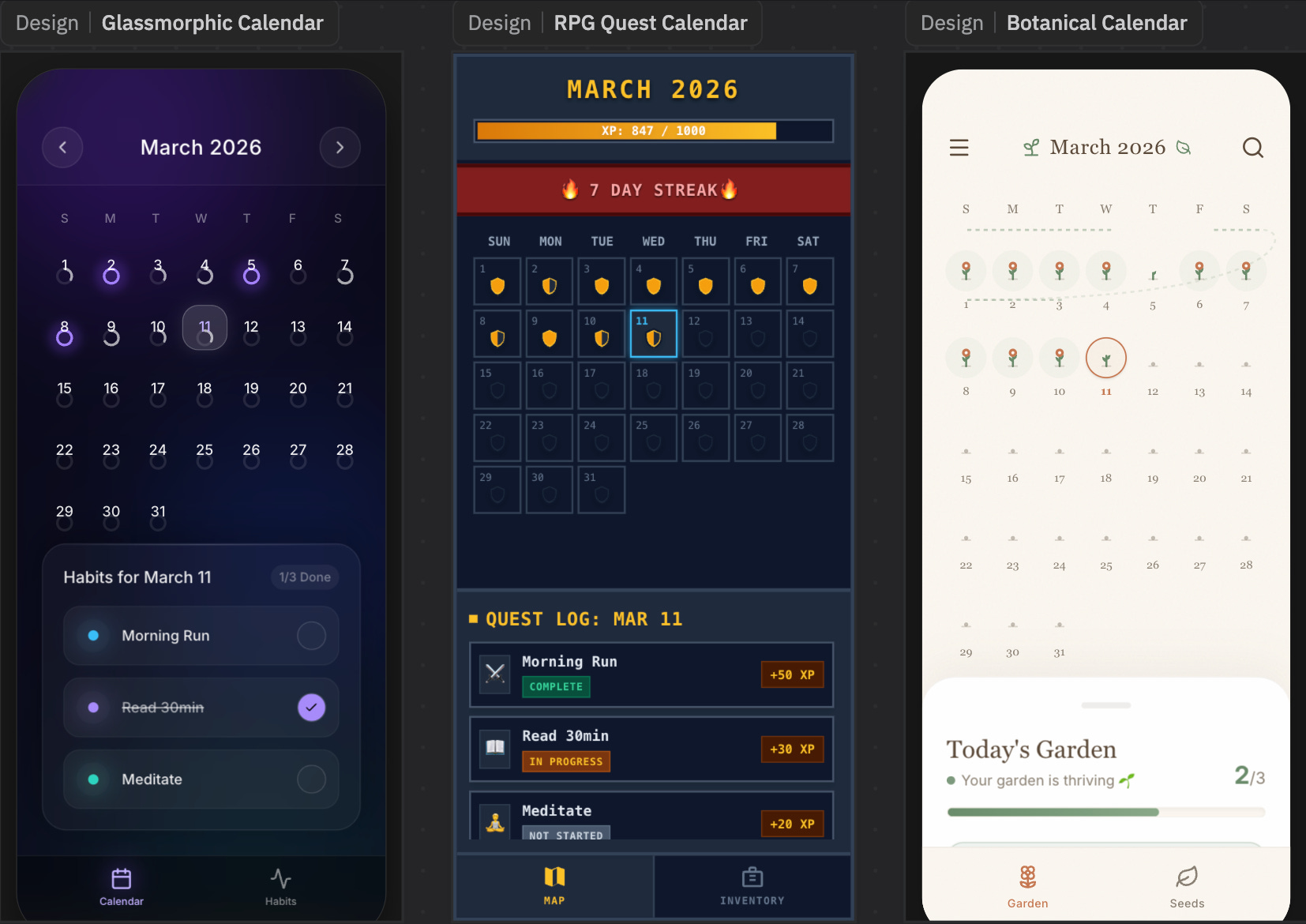
Since I’m a gamer at heart, I’ll go with the RPG quest design. Now let’s edit the designs visually using the canvas. You can:
Generate additional screens. Hit the + button for the RPG design and ask it to: “Generate the quest screen.”
Make precise edits. Click the inspect icon and change text or colors manually.
Now that we have a calendar and quest view that we like, let’s get Replit to build them.
2. Build faster with parallel agents
Instead of building with one agent at a time, let’s have two agents work in parallel.
In Replit, you can now spin up separate threads to work on different parts of the app. Here are the prompts I gave each agent:
Calendar view: Build the monthly view, swipe to scroll between months, today is highlighted. Date cells show progress rings that fill as habits are completed (1/3, 2/3, 3/3). Tap a date to see bottom tray where I can toggle 3 habits on/off.
Habits view: Create and edit up to 3 habits with name and color. Each habit displays its current streak count. Editing a habit resets its streak to zero.
After kicking off two threads, you can now sit back and watch the agents work. There’s this cool Trello-style board view where you can see tasks move through three stages: Drafts, Active, and Ready. Drafts are plans waiting for approval, active means the agent is building, and ready means the work is done and ready for review:
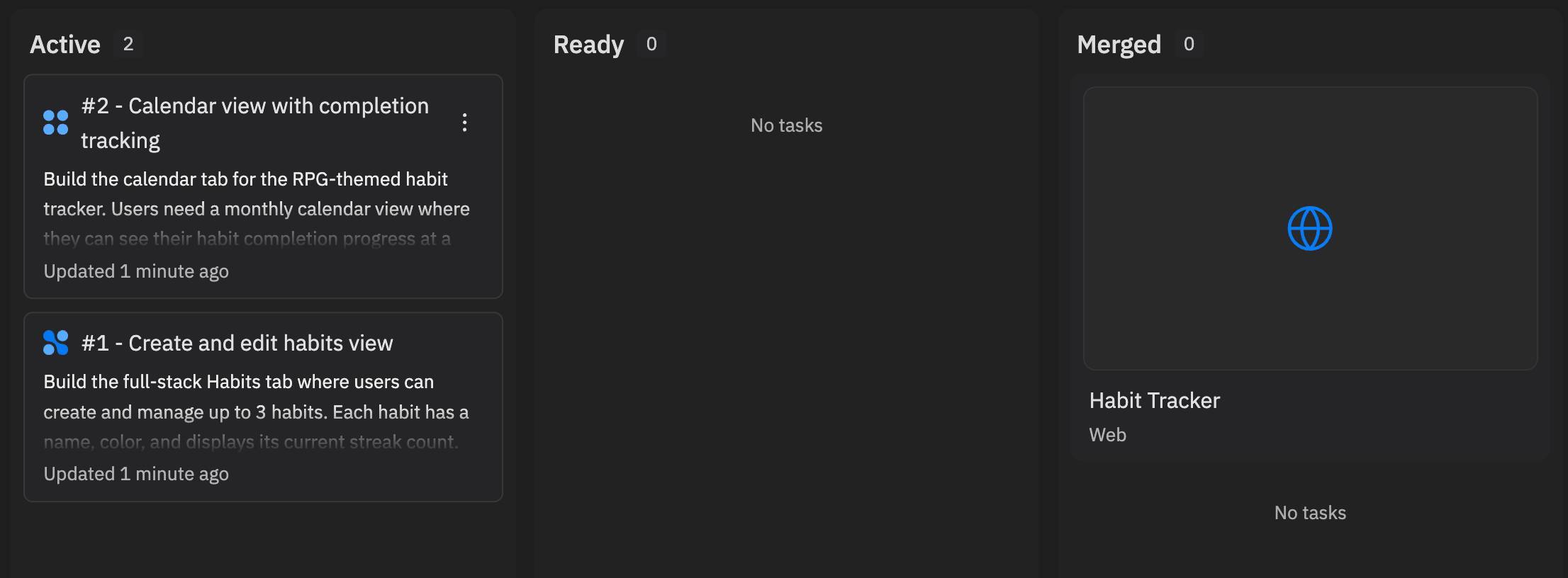
This is where I think AI coding agents are heading. Instead of pair programming with one agent, you’re managing a team of agents. You give them instructions, step away, and come back to review the work.
Once the agents finish, you can review each one and click “Apply changes to the main version” to merge it in. You’re still in control of what ships. If something looks off, you can ask for edits before merging.
Once the app is built, you can deploy it in one click by hitting Publish. One advantage of Replit is that it’s vertically integrated, with frontend, backend, database, and security scanning all built in.
3. Generate a slide deck and animation with code
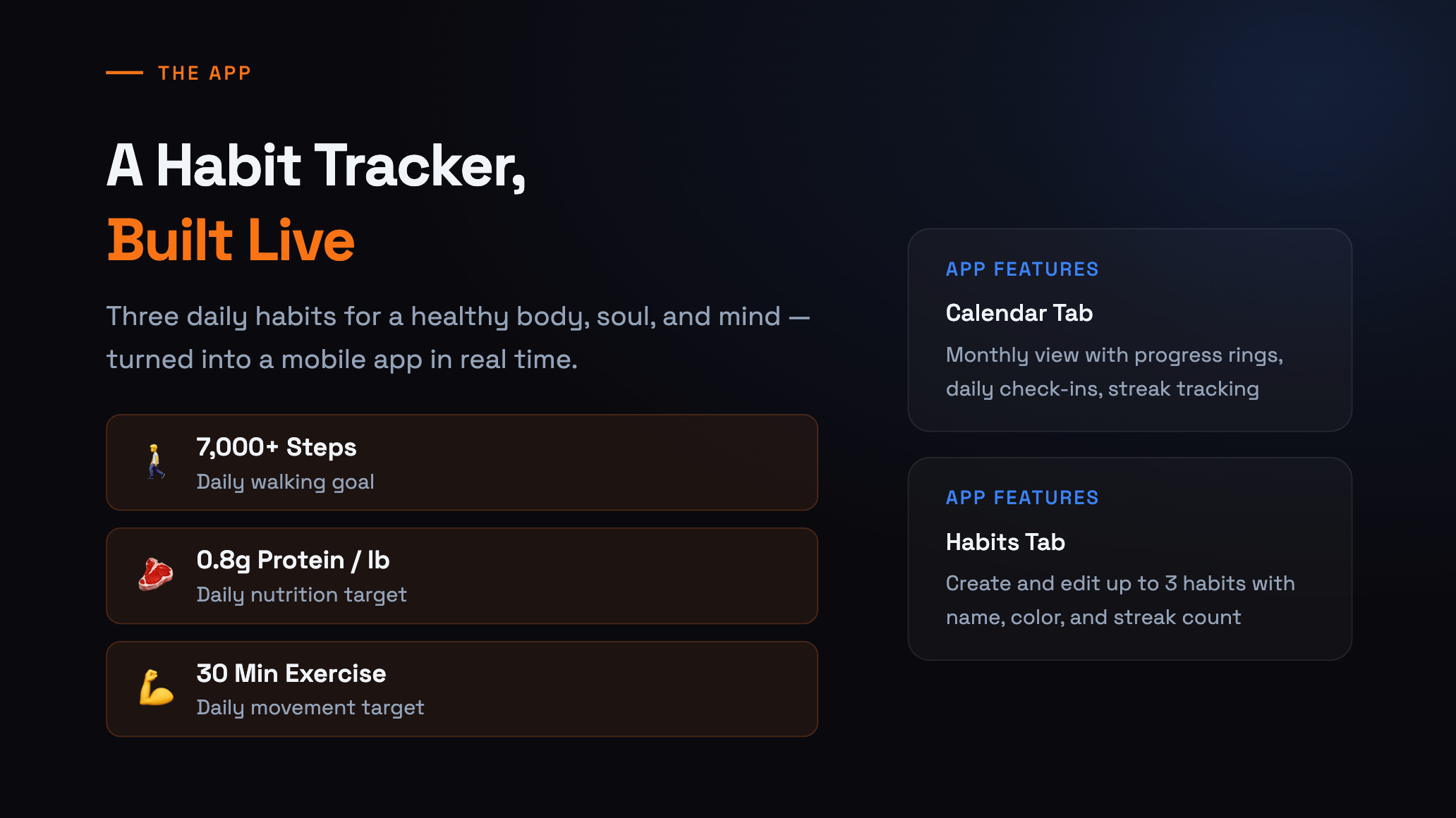
Now let’s have some more fun. Lately I’ve realized that:
Code is the foundation of all knowledge work.
With code, you can generate not just apps, but also slide decks, animations, documents, and more. For example, I pasted this full newsletter post into Replit and generated these assets:
Slide deck. The Agent generated 10 slides covering how you can use Agent 4 to plan, design, and build the habit tracker.
Animation. The Agent generated a beautiful animation complete with custom graphics and more.
Slides, animations, and documents are all just code under the hood. If an agent can write and iterate on code, it can generate almost any knowledge artifact.
Honest take: Where Replit’s Agent 4 fits in the AI coding market
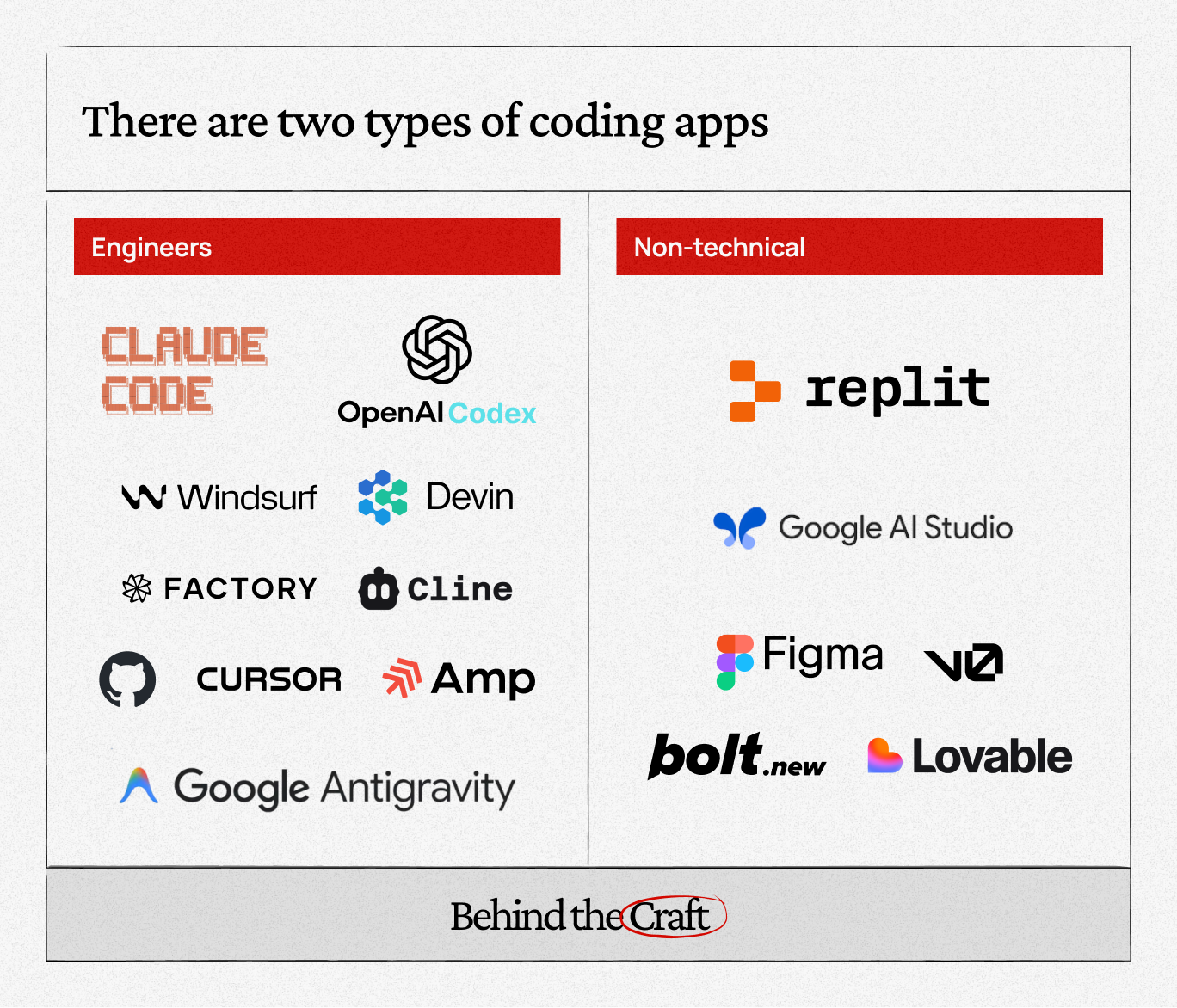
I think the AI coding market has split into two segments — tools for professional developers and tools for everyone else.
For developers, I think it’s a two-horse race between Claude Code and OpenAI’s Codex. These tools are powerful, fast, and deeply integrated into model and developer workflows.
For everyone else — and this is the larger market — Replit is making two bets with Agent 4:
Non-technical people will collaborate directly with AI agents. Designers will use AI to generate designs on a canvas instead of doing them manually. PMs will manage agents through a Trello-style board to get work done.
Code is the foundation of knowledge work. If an agent can write code, it can generate apps, presentations, animations, and more. Just think about how many people use Microsoft Office, Google Workspace, and traditional design or animation tools. That’s the market Replit is chasing.
I think Agent 4 is a real step forward on both fronts. The canvas could use a bit more polish, but the direction is clear. We’re going to work with AI agents to build all kinds of things in the future, not just apps.
Watch my tutorial to see it in action and go try Agent 4 yourself.
The most interesting thing about Replit Agent 4 is that it makes “vibe coding” look like the wrong mental model. Vibe coding implies the user is improvising and the agent is building. But Agent 4 points toward something more serious: software as managed exploration.