


Upgrade to paid to unlock $600+ in AI tool credits (e.g., Grok Bot), my Personal AI course with 25+ lessons, 17+ AI skills, and an invite to my private Slack community with monthly live workshops.
Dear subscribers,
The internet is being hacked right now, and I want to help you protect yourself.
People’s bank accounts, health records, and API keys were all targets last week because AI is finding security holes faster than anyone can patch them.
Watch my tutorial to learn how to work with AI to secure your accounts in 6 steps.
Timestamps:
(00:00) 12 security fires in one week and 6 steps to take now
(03:16) One AI prompt that audits all 6 for you
(05:11) Step 1: Disconnect apps you don't use
(06:55) Step 2: Use a password manager and check Watchtower
(09:57) Step 3: Turn on two-factor with an authenticator app
(10:48) Step 4: Rotate or retire your API keys
(11:50) Step 5: Ask AI to scan and update your software
(12:51) Step 6: Don't trust breach emails or calls
I’m proud to partner with Granola

The world’s best teams, including Ramp, Linear, Replit, Brex, and more, use Granola to take notes and focus more in meetings. I’ve tried many meeting apps myself but keep coming back to Granola. Get 1 month free via my link below.
Why the internet is being hacked
Just this past week, we’ve seen critical security issues in:
PHP: The NSA told organizations to patch critical bugs or take systems offline. PHP is used by millions of websites on the internet.
WordPress: Attackers used stolen keys to plant backdoors on websites.
Quest Diagnostics: Hackers accessed patient records.
Banks: Unauthorized AI agents were found inside customer accounts, and JPMorgan, Bank of America, and Wells Fargo are now restricting them.
Jason Clinton, Anthropic’s deputy chief security officer, tweeted:
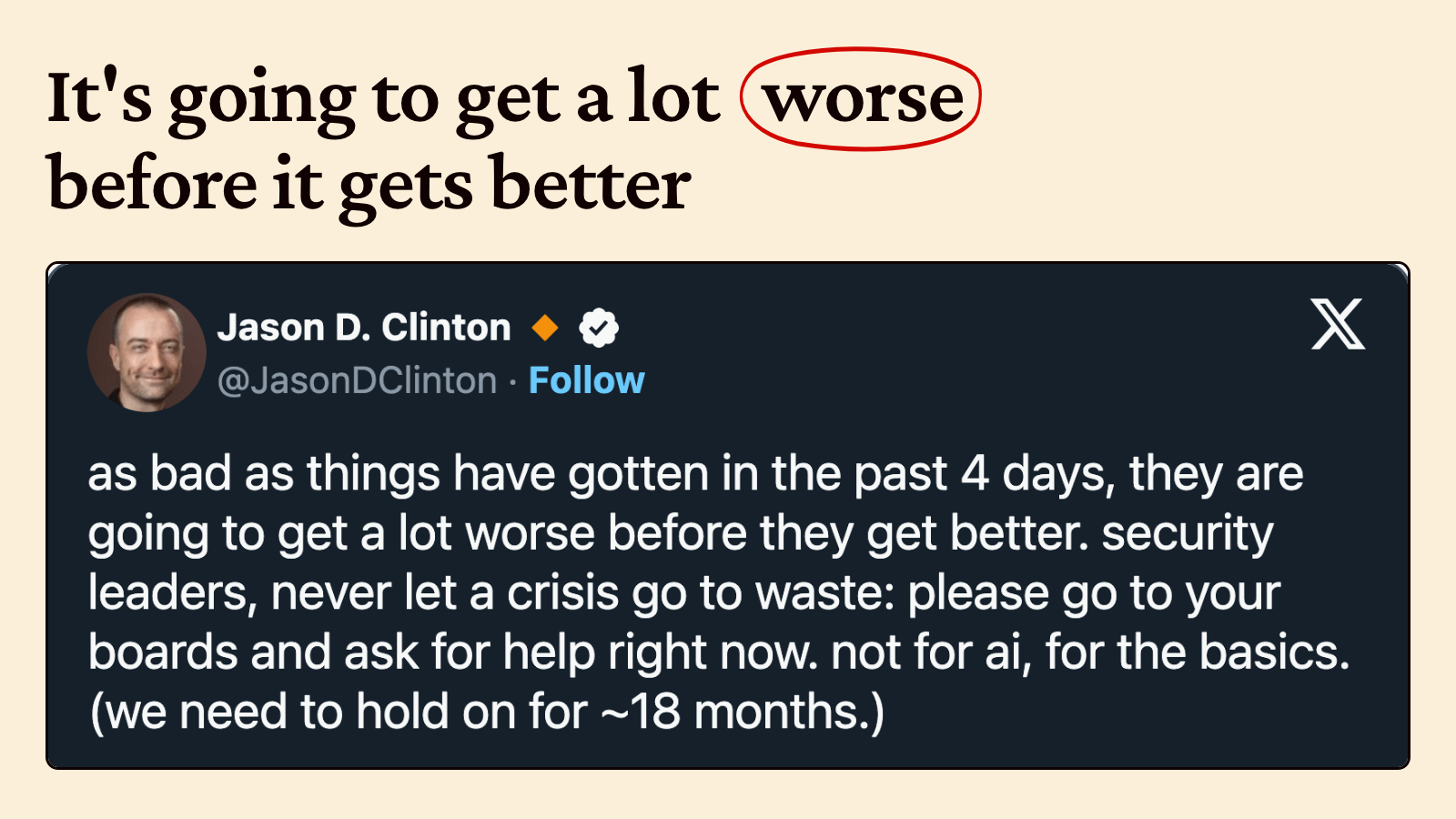
This is all happening because AI can now find security vulnerabilities in legacy software that human audits missed for years. So it’s an arms race between attackers looking to exploit these issues and defenders trying to patch them.
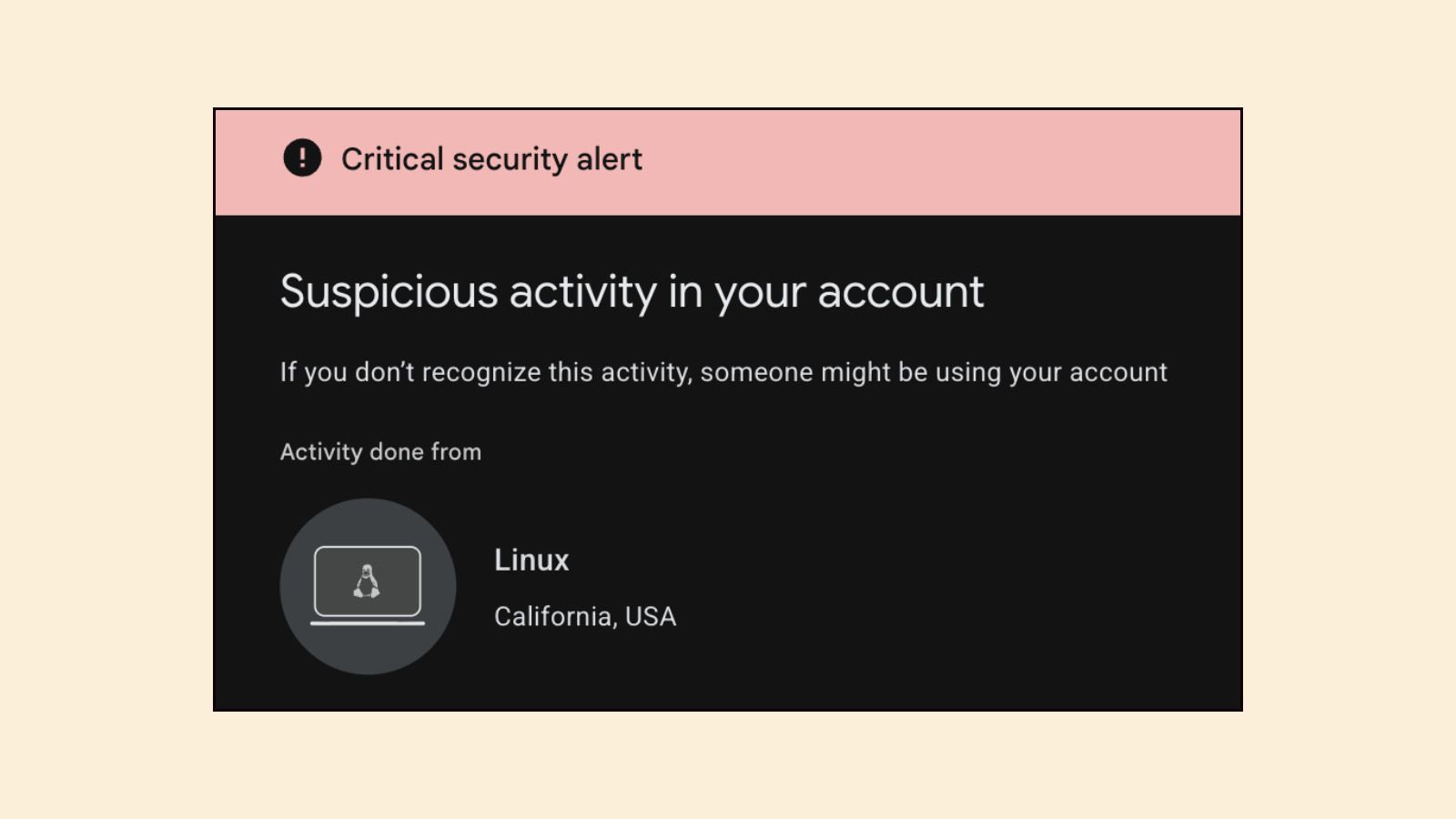
Personally, what prompted me to act was receiving this critical security alert from Google that said a Linux machine had deleted some emails. The problem is, every agent — from Grok Bot to Muse to ChatGPT Dots — uses Linux machines!
Enough is enough 🫠
6 steps to secure your accounts right now
I spent two hours securing all of my accounts after receiving the alert above. Here’s my simple 6-step security checklist that you can follow to do the same:
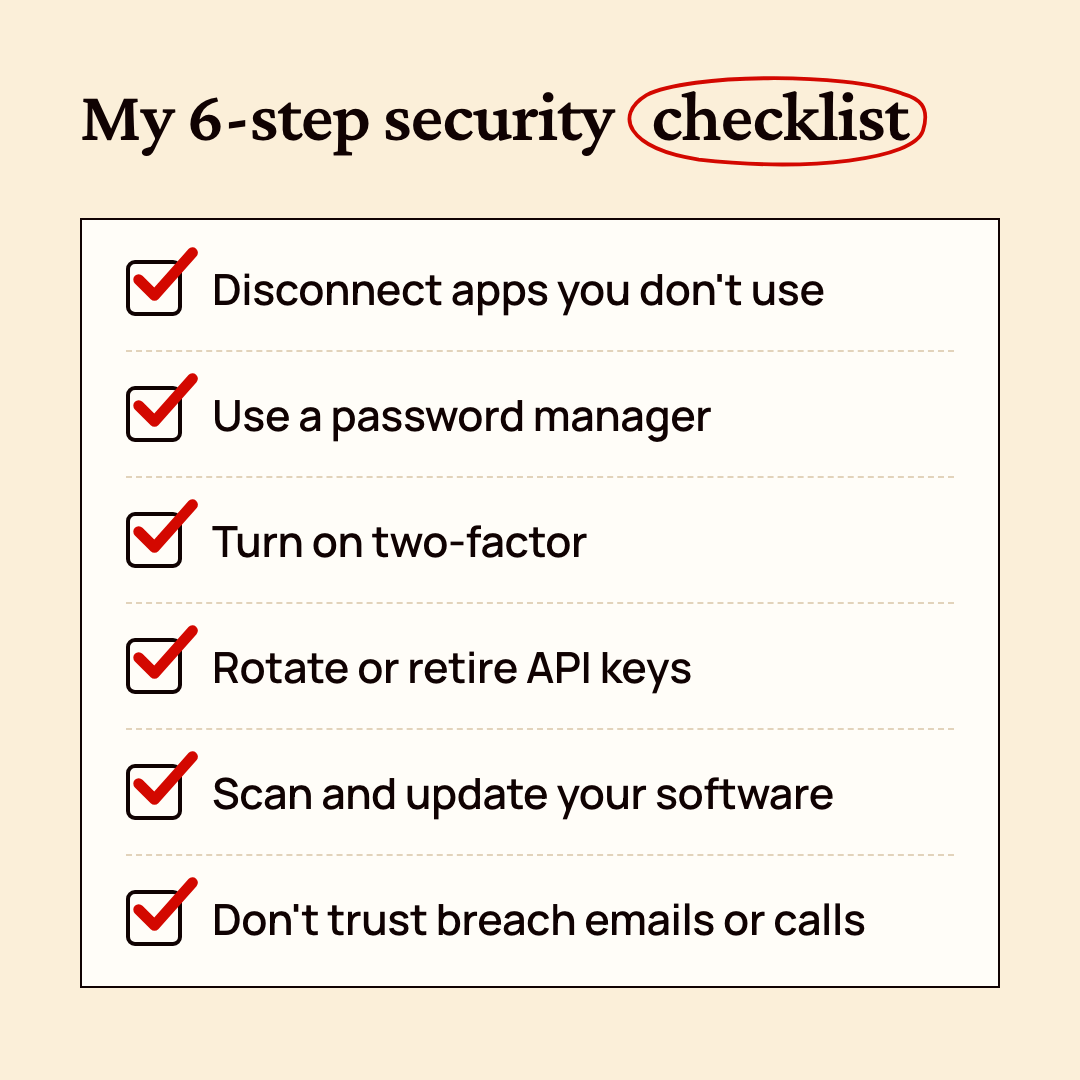
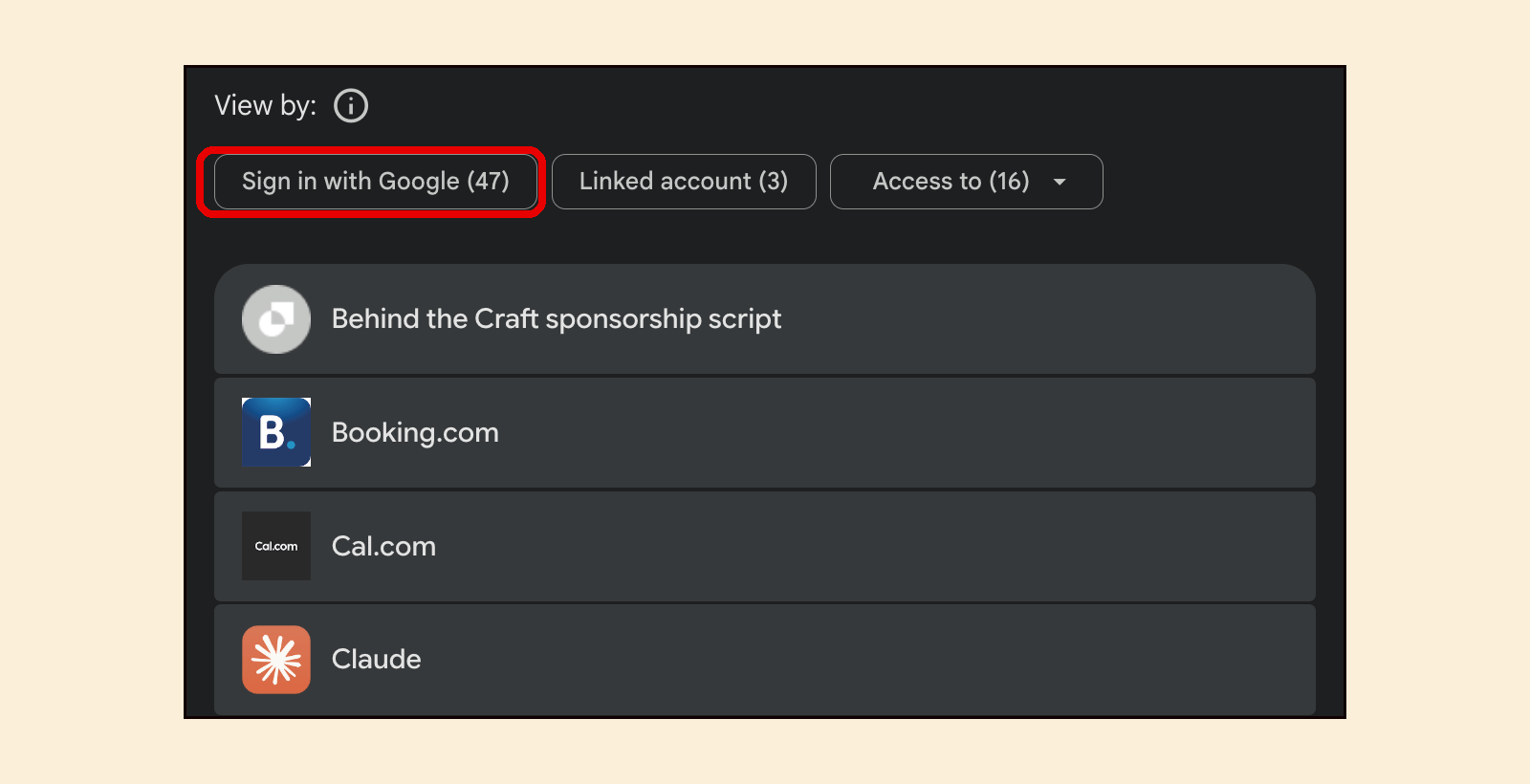
Disconnect apps you don't use. Go to myaccount.google.com/connections and remove any apps that shouldn’t have access to your Gmail and Google data. I had 47 apps connected (!) so it would have taken forever to manually remove each one. Instead, I asked ChatGPT and Claude, “On myaccount.google.com/connections, review my connected apps and give me a list of apps you think I should disconnect.” Then I reviewed the list and had AI disconnect them for me.
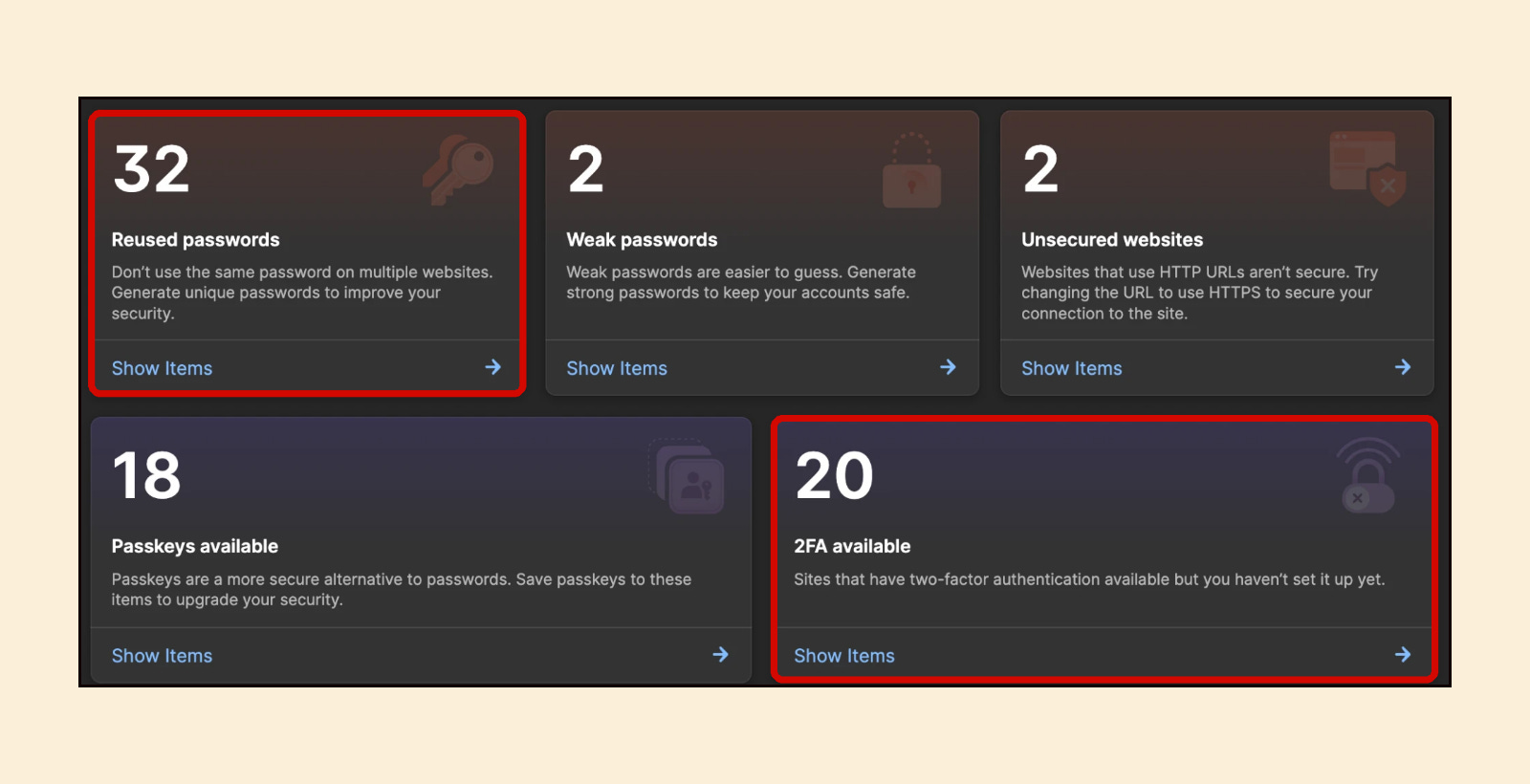
Use a password manager with unique passwords. I was using just a few passwords for all my accounts, which is crazy in hindsight. So I finally decided to stop being cheap and pay ~$48/year for 1Password to set up unique passwords for each website. It has a handy Watchtower page (below) that told me which websites had reused or weak passwords:
Turn on two-factor with an authenticator app. Text message codes aren't safe because attackers can trick your phone carrier into moving your number to their SIM card. Instead, use an app like Google Authenticator and turn on two-factor authentication for your accounts.
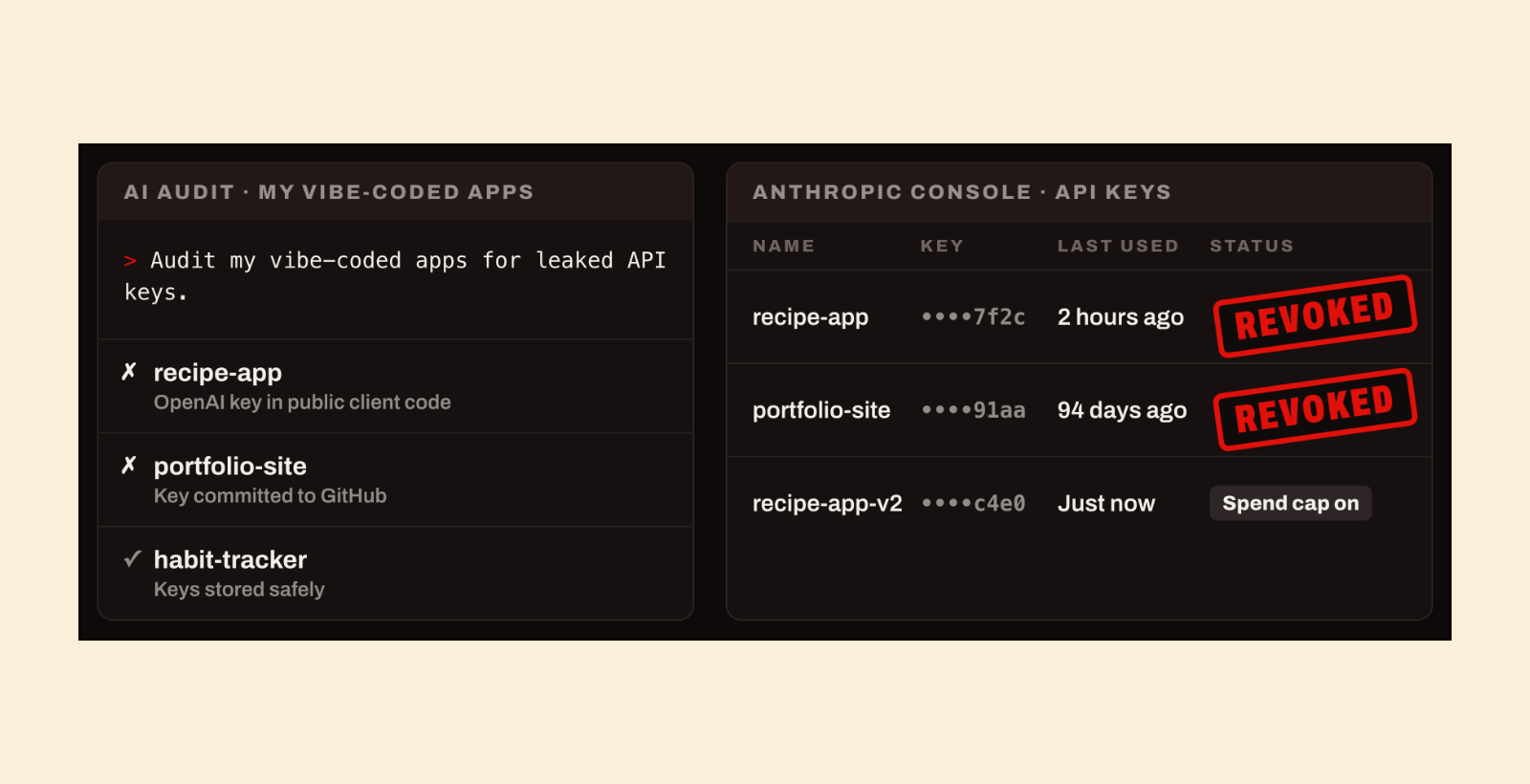
Rotate or retire your API keys. If you've vibe coded a bunch of apps like me, ask ChatGPT or Claude: “Audit all my projects for any leaked keys and help me rotate my active keys and archive ones that I no longer use.” AI found two keys in Anthropic Console that were still active for apps I stopped using.
Ask AI to scan and update your software. Ask ChatGPT or Claude: “Check my computer and apps for any updates. Run a dependency audit on all my projects. Don't install anything, just list everything that you found.” Vendors are shipping security fixes fast right now, so it's worth running this every few days.
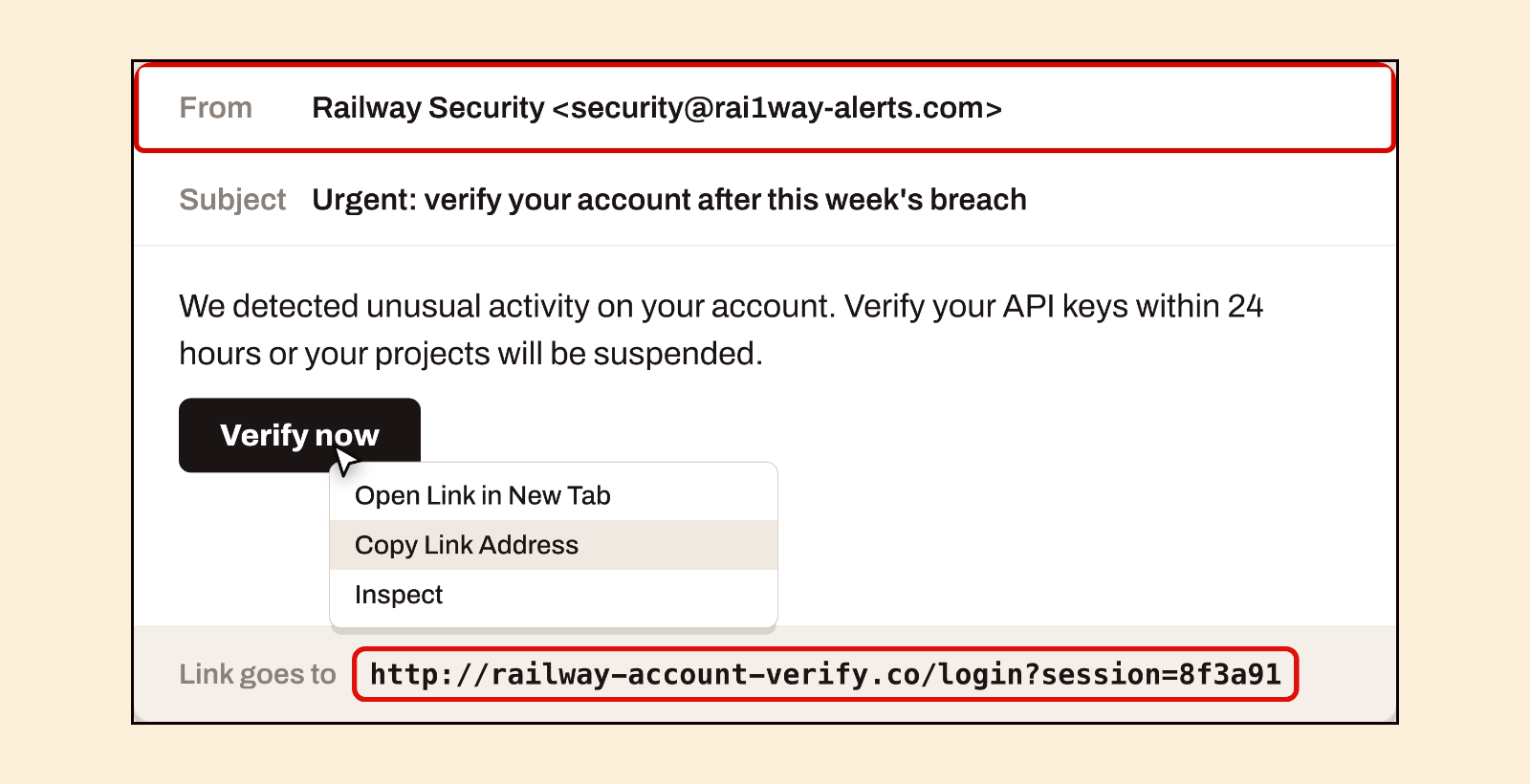
Don't trust “breach” emails or calls. You should expect a wave of phishing emails that claim a service got hacked and ask you to act now. Check the sender's address and right-click the button and choose “Copy link address” to see where it actually goes. I basically try to avoid clicking any links in supposedly “urgent” emails.
Get your personal security audit with my AI prompt
I turned all 6 steps above into one prompt that you can paste into ChatGPT, Claude, or your favorite AI agent to walk you through everything and even build a personal security audit report like this:
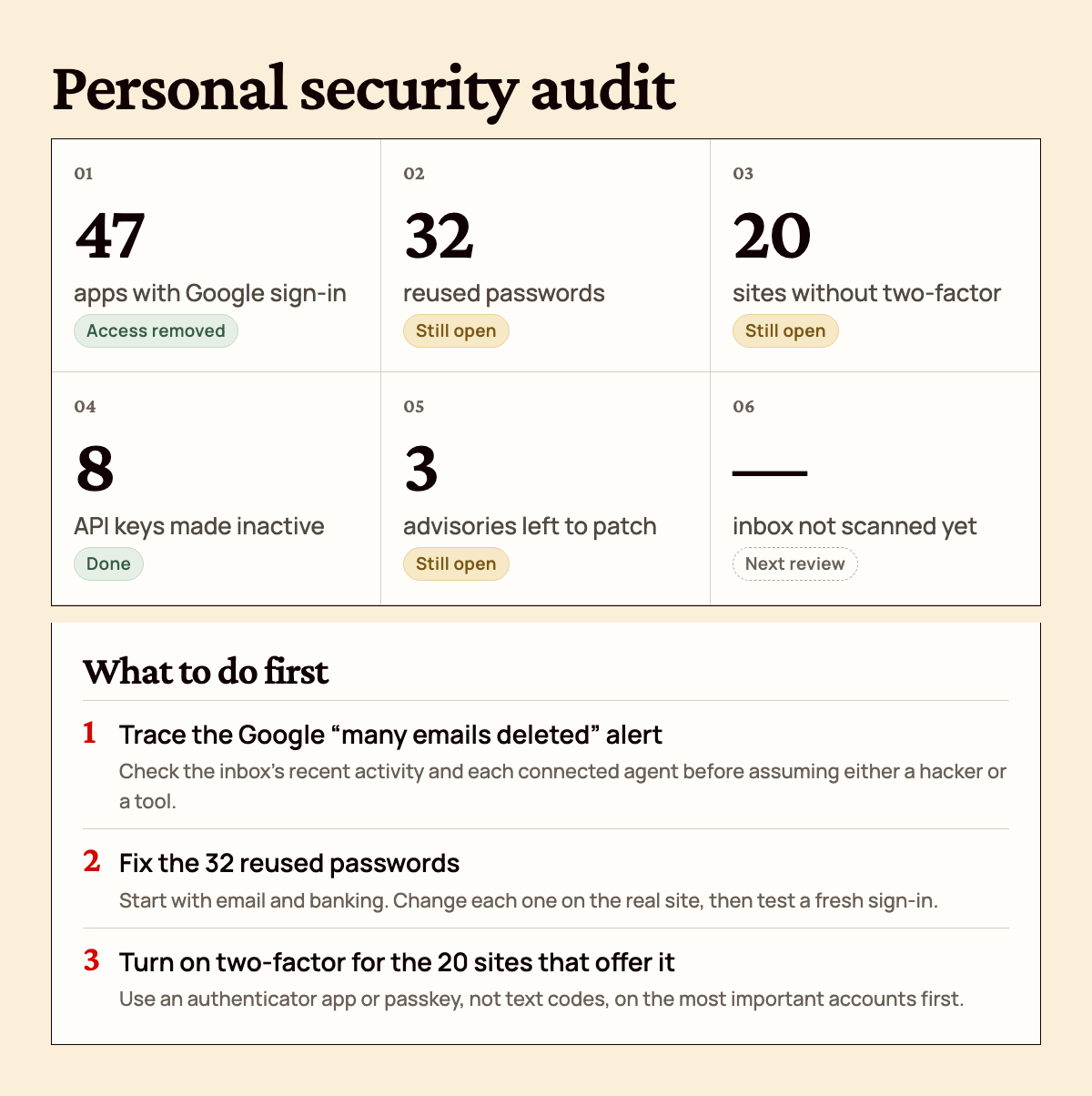
It's read-only by default, so it won't change anything without your approval. Upgrade now to get the full prompt below, plus access on behindthecraft.com along with 16+ other AI skills, my Personal AI course, and more.
Here's the full prompt for you to copy and paste into your favorite AI agent: