


Dear subscribers,
Today, I want to share a new episode with Ravi Mehta.
Ravi is a top AI instructor and former CPO of Tinder. In our episode, he did a live demo of using his 3-layer context engineering system (functional, visual, data) to build a beautiful music app instead of the usual AI slop. You’ll never prompt AI the same way again after learning about Ravi’s approach.
Watch now on YouTube, Apple, and Spotify.
Ravi and I talked about:
(00:00) Why most AI prototypes feel like slop
(01:08) Context engineering, explained from first principles
(05:12) Layer 1 demo: Functional context
(09:38) Layer 2 demo: Visual context
(13:31) Layer 3 demo: Data context
(15:47) Building a custom MCP server in Claude Code
(19:54) The full stack prompt: all 3 layers in one shot
(24:21) Why separating the data layer is the real unlock
(28:59) Should PMs prototype or just ship to production?
(33:51) Where PRDs still fit in AI native product development
I’m proud to partner with Wispr Flow

Wispr Flow has quietly become one of the AI tools that I use the most. It lets you dictate into any app on your computer or phone and turns your voice into clean, formatted text automatically.
I save at least 3 hours a week from using it to draft newsletter posts, write specs, and reply on Slack. It’s just so much faster to dictate to AI than to type, and you’ll never go back once you try it. Use code PETERWISPRFLOW to get 6 months free.
Top 10 takeaways I learned from this episode
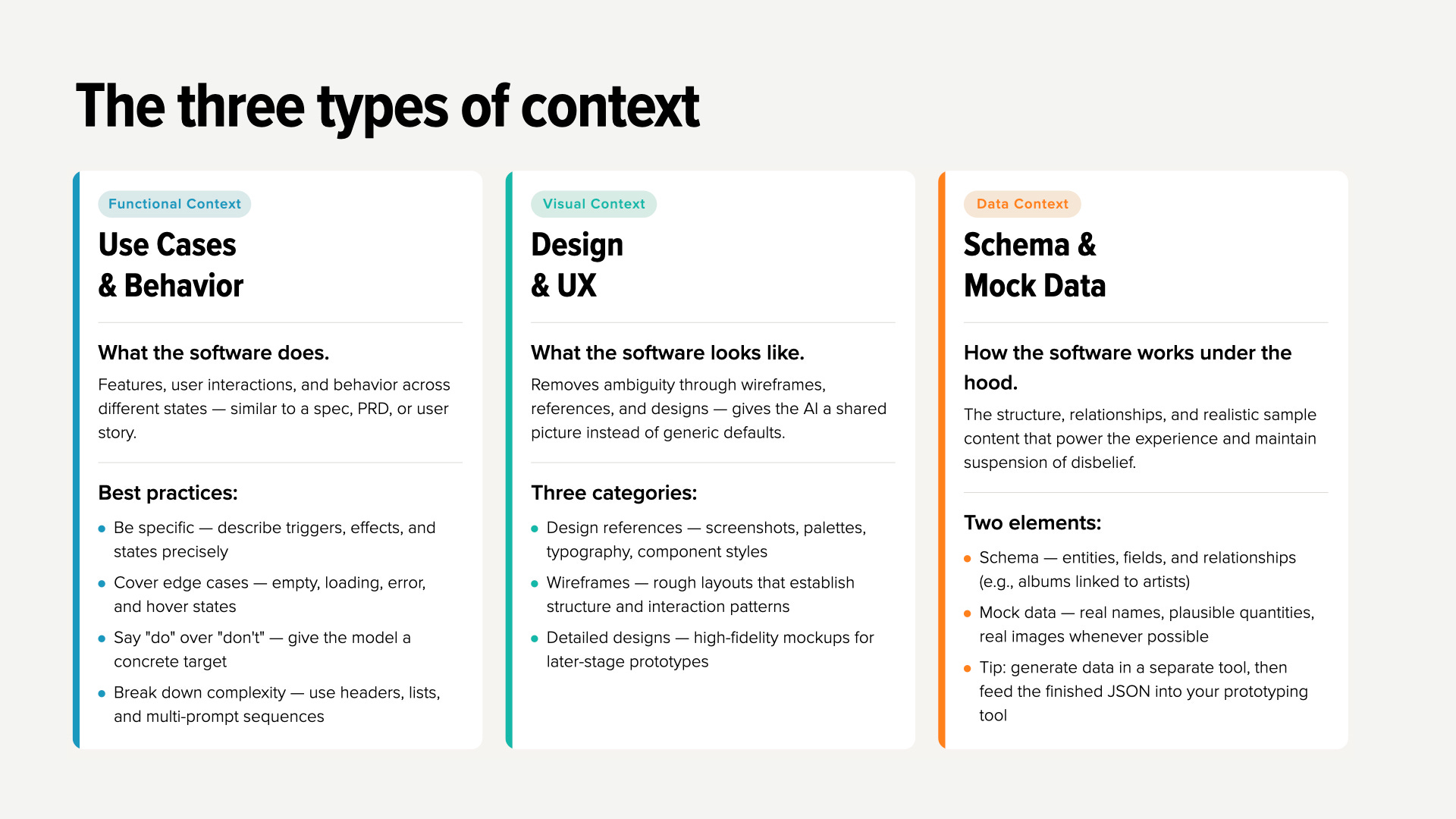
Apply three layers of context to create polished AI prototypes. Ravi built the same music app in 3 ways to highlight what each context layer adds:
Functional context. First, he wrote a spec listing the feature requirements (hero, albums, etc) and got a generic app with placeholders.
Visual context. Next, he added a wireframe from Figma to the prompt. This led to better UX and layout but the product was still missing real data.
Data context. Finally, he asked AI to generate a JSON with genre, artist, and album names and used a custom MCP server to pull in album cover art from Deezer. This time, AI generated a complete music discovery app.
The best thing about this system is that you can swap the data layer (JSON) at any time to have your app highlight completely different content (e.g., from rock to hip hop albums) without touching the other two layers.
Here’s a detailed prompt that Ravi shared with me to generate all 3 layers in one-shot for any app or idea that you have (just replace the music app details with yours):