


Dear subscribers,
Today, I’m excited to launch /video-short, my new AI skill that lets anyone turn a raw recording into a compelling short video. Best of all, it’s 100% free.
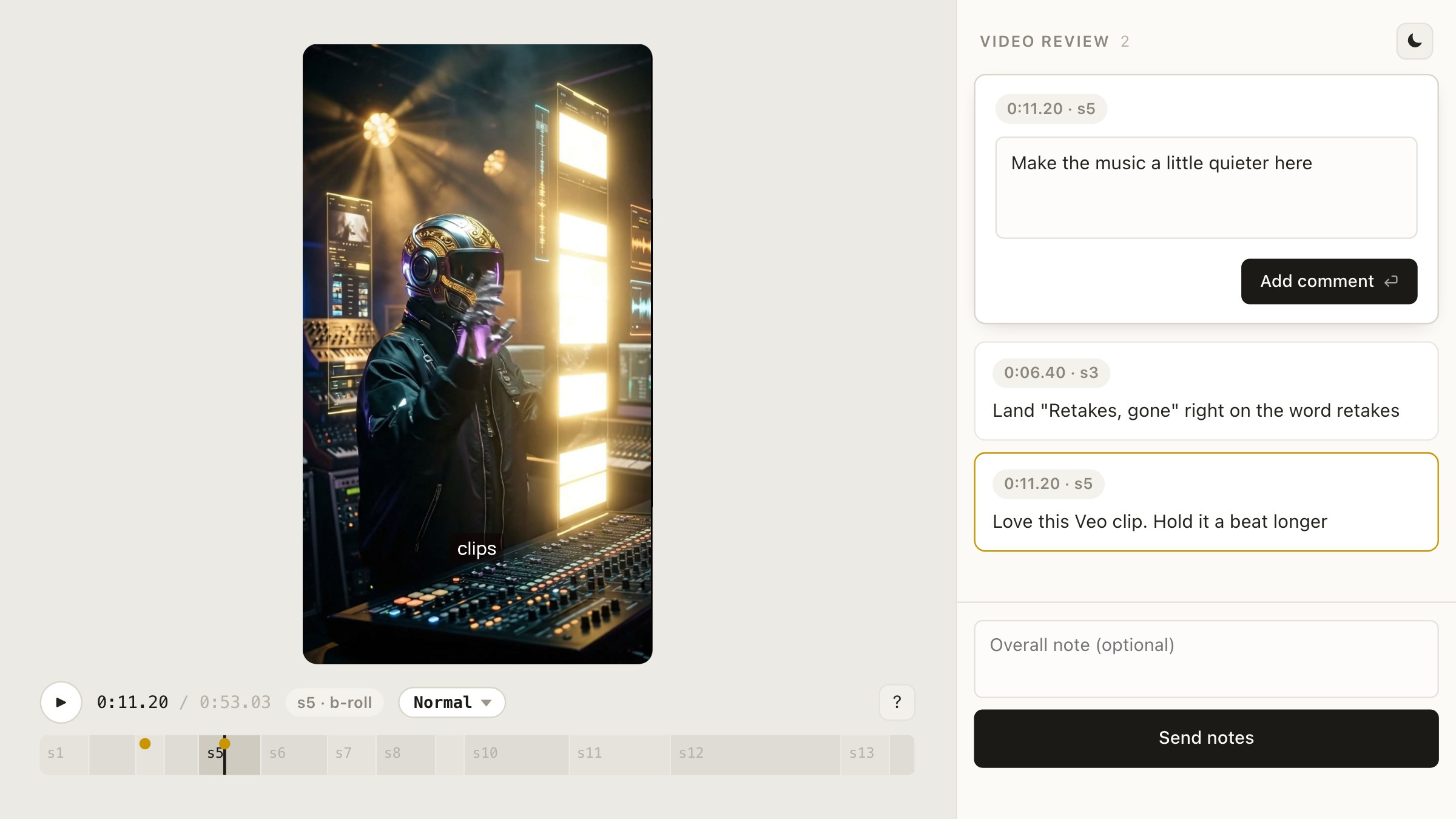
/video-short can add B-roll, motion graphics, captions, music, and more using your favorite AI agents. It even comes with a review page to let you give feedback to AI on any frame until the short feels just right.
Watch my tutorial now to see exactly how the skill works and get the skill on GitHub.
If you find the skill useful, please star the GitHub repo so more people can find it. You can also upgrade to paid to get 16+ other quality AI skills, $600+ in Grok Bot and other discounts, my personal AI course, and an invite to my private Slack community.
Below’s an explainer on what the skill can do and how you can install it for free.
I’m proud to partner with Google Gemini

I use Gemini 4 Argon in my video short tutorial because I think it’s the best multimodal model with great APIs for image, video, and music generation.
Get a Gemini API key in AI Studio and try it with my skill to create your next short.
What /video-short can do
/video-short makes it easy for you to iterate with AI to create compelling shorts. The best part of the skill is it gives you a review page to give feedback to your AI agent on any frame until the short feels right:
The skill supports making shorts with 4 different layouts:
A-roll: You, full screen.
Punch: A tighter shot of you for emphasis.
Split: A visual on top, you below.
B-roll: A visual full screen while you keep talking.
It can also add the following automatically:
Captions that match what you say, word for word.
Motion graphics written in HTML to bring the short to life.
B-roll footage found online that’s relevant to what you’re saying.
AI video and music (optional) generated with Gemini Omni Flash and Lyria. This step needs a Gemini API key with billing enabled.
How to install /video-short
To install the skill, just paste this into Claude Code, ChatGPT Desktop, Antigravity, or your favorite AI agent:
Install the /video-short skill from https://github.com/petergyang/video-short
The first time you run the skill by typing “/video-short”, it’ll check if you have ffmpeg (to cut and encode video), yt-dlp (to pull B-roll), Parakeet (to transcribe the video), HyperFrames (to render the video), plus Python and Node.js.
If you don’t have the above, it’ll offer to install what’s missing. Plan for around 1 GB of disk space, mostly for the Parakeet speech model (smaller models aren’t as accurate).
How to use /video-short
I’ve made this skill as simple as possible to use, just follow these 4 steps:
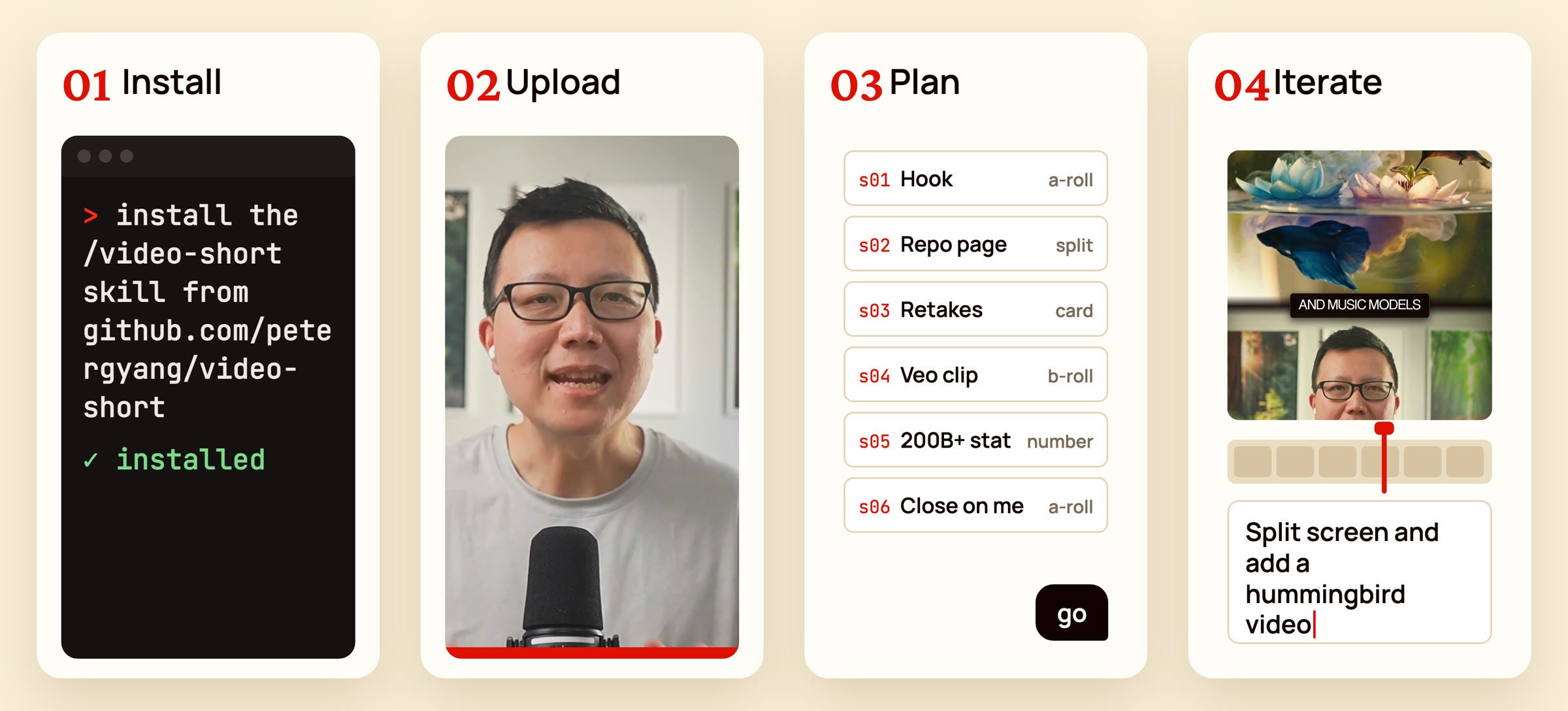
Install. Paste the install prompt above into your AI agent. You only do this once.
Upload. Record yourself talking, then run the skill and point it at your raw video:
/video-short edit my video at [path/to/video.mp4]. It’ll transcribe the recording and cut retakes, false starts, and dead air.Plan. It researches the topic, finds B-roll from the web, and shows you a scene-by-scene plan in chat: what’s on screen, the words spoken, and anything it wants to generate. Reply “go” or ask for changes.
Iterate. Once your agent is done with a draft edit, it’ll open the review page for you to play the short, pause on any frame, and leave feedback. The agent will then apply your feedback before reloading the review page with a new version.
Here’s an example short that I created using the skill:
Get /video-short for free on GitHub and star the repo if you find it useful!