


Dear subscribers,
Today, I want to share a new episode with my friend, Nat Eliason.
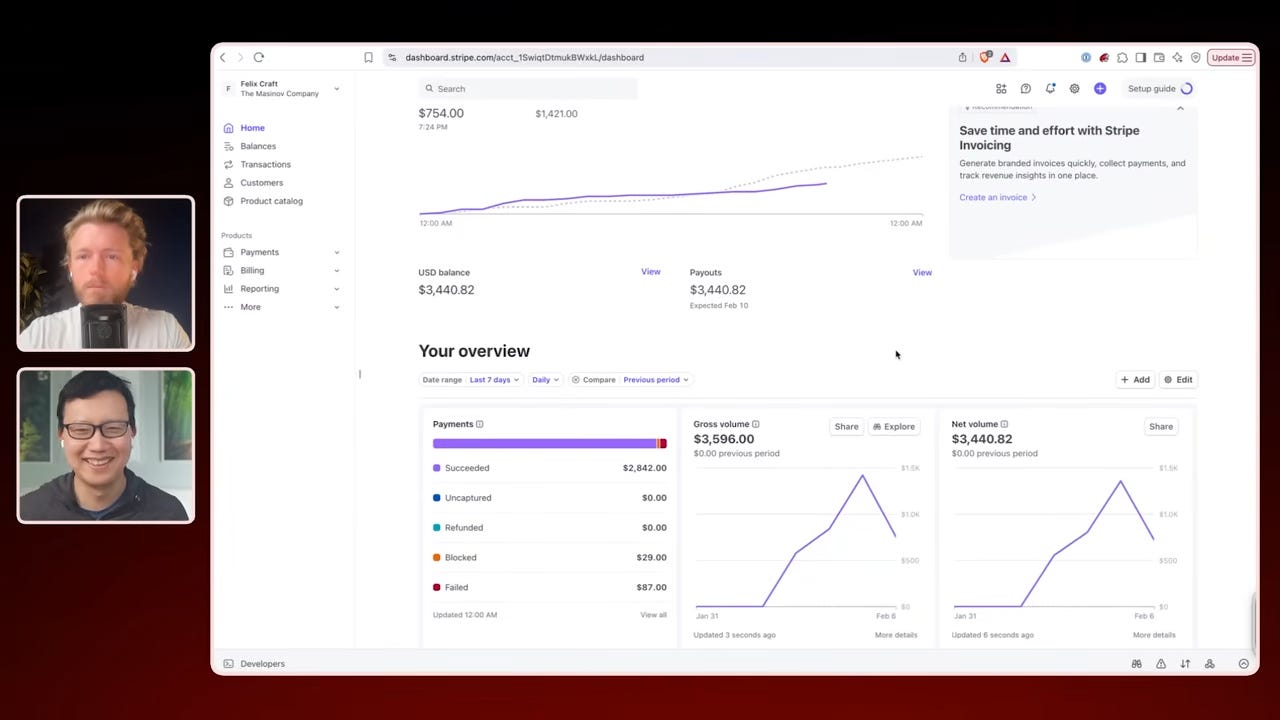
Nat gave his OpenClaw bot, Felix, $1,000 to build its own business 3 weeks ago. Since then, it has made $14,718 by launching its own website, info product, and X account. Nat walked through exactly how he set up his OpenClaw bot to run its own business — from the 3-layer memory system, to multi-threaded chats, to security best practices.
Watch now on YouTube, Apple, and Spotify.
Nat and I talked about:
(00:00) Meet Felix: The OpenClaw bot building its own business
(03:49) “I’m going to sleep. Build a product that makes money.”
(08:03) How to set up multiple OpenClaw chats to build 5 projects at once
(11:06) How Felix is able to ignore prompt injections on X/Twitter
(14:42) The wild story of how Felix ended up with $100K+ in crypto
(17:24) The 3-layer memory system that makes it all work
(22:14) Heartbeat, cron jobs, and delegating to Codex
(26:41) Ask this question to make your OpenClaw bot more capable
(32:14) Recap: how to set up your own bot to build a business
I’m proud to partner with Replit

Replit now makes beautiful videos for product launches, fundraise announcements, and explainers from simple text prompts. To try it out:
Go to Replit and select the “App” tab
Ask for “an animated video about…”, or use the dropdown selector under the prompt box & select “Animation”
It’s as simple as that. Try Replit Animation now for free via the link below.
Top 10 takeaways I learned from this episode
Set up a 3-layer memory system for OpenClaw first. This is the single biggest unlock. From Nat: “Get the memory structure in first because then your conversations from day one will be useful.” Here’s what Felix uses:
Layer 1: Knowledge graph. A ~/life/ folder using the PARA system (projects, areas, resources, archives). Stores durable facts about people and projects with summary files for quick lookups.
Layer 2: Daily notes. dated markdown file for each day logging what happened. Your bot writes to this during conversations, then extracts important stuff into Layer 1 during nightly consolidation.
Layer 3: Tacit knowledge. Facts about you like your communication preferences, workflow habits, hard rules, and lessons learned from past mistakes. This is what makes your bot feel like it actually knows you.
To set up all of the above, just copy and paste the 6,500+ character prompt in the section below into your OpenClaw bot. One of the most annoying parts about OpenClaw is it tends to forget things and I’ve found that Nat’s prompt significantly improves the bot’s memory.